Why is it worth building an HTML website from scratch instead of using a builder?
Building with HTML from scratch develops a competence that visual builders cannot convey: the ability to distinguish structure from aesthetics, to understand content hierarchy, to produce accessible and performant pages by design rather than through corrective intervention.
The starting point requires only a text editor and a browser. The result is technical autonomy that no plugin update and no platform migration will ever take away.
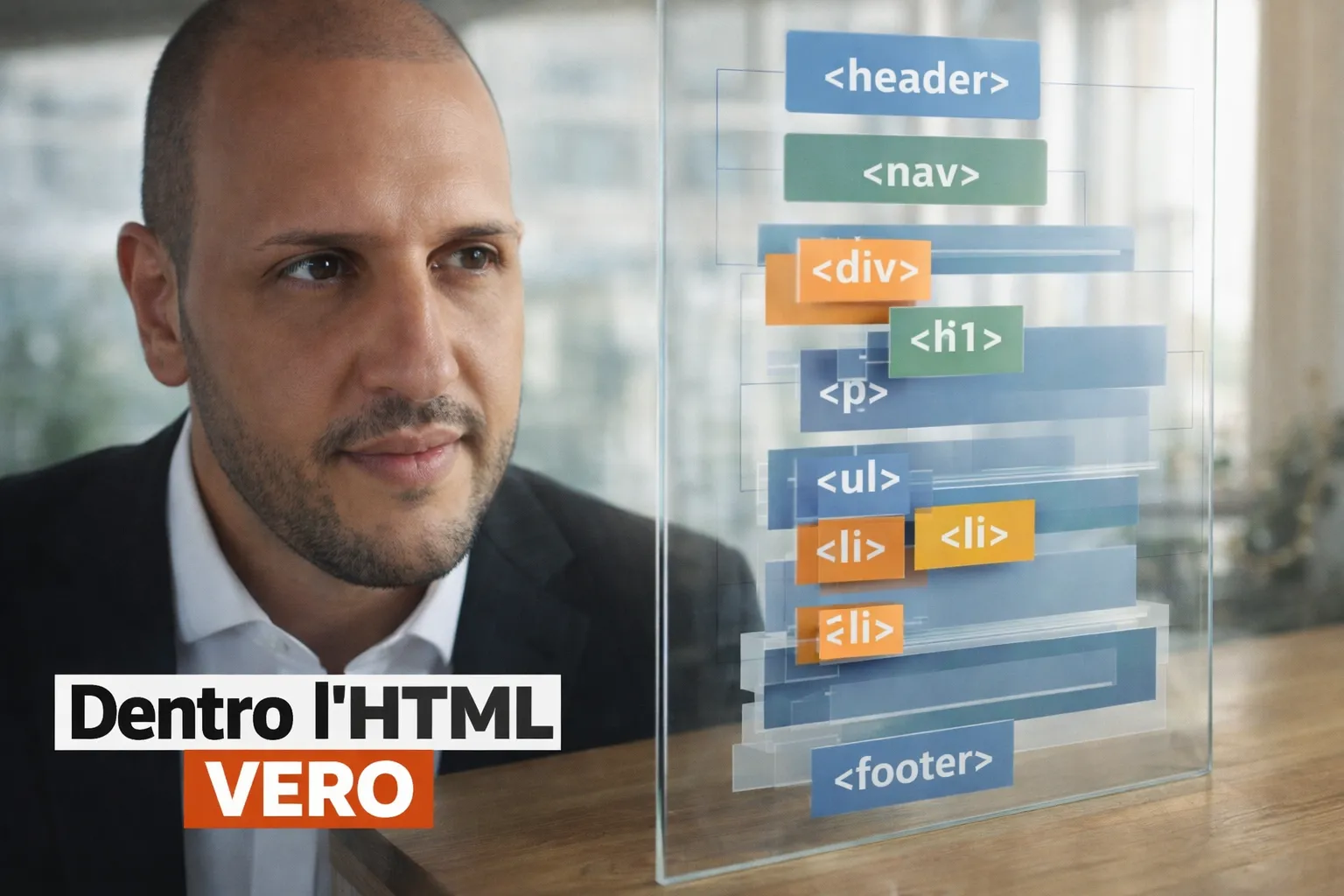

The website is broken.
And you know how it goes, it is not the first time. A blank page where the homepage used to be, a navigation bar floating in the void, the footer gone, as if someone had quietly deleted it overnight.
You updated something, or maybe you did not. And that is precisely the problem.
When you work with tools you do not fully understand, you never really know what you have touched and what you have not. It works until it stops working.
Then it stops. And you are left staring at the screen.
Meanwhile, the client is waiting. The deadline was yesterday.
You search online. You find a thread with twenty replies. None of them quite apply to your situation.
You disable plugins one by one. You roll back to a previous version of the theme. You reload the page, hoping it will somehow have fixed itself.
You try everything. Nothing changes.
And at some point you realise something. The problem is not WordPress. It is not Elementor. It is not the plugin.
The problem is that you have no idea what is happening beneath what you see.
The page builder you use every day did something that works. But you do not know how.
And now that it is broken, you are locked out with the keys in your hand, unable to tell which door they open.
You are using tools that generate code on your behalf, but you have never truly understood that code.
You cannot read it. You do not know where to look. You cannot tell an error from expected behaviour.
If something breaks, you are locked out.
Then someone, in that forum thread, suggests opening the page source and looking at what the theme generates.
You do it.
It is the first time you have really looked. And finally you see the problem. Among lines that until yesterday seemed incomprehensible, there is a structure that has collapsed on itself.
The cause? An unclosed tag.
Five minutes. Done.
No advanced expertise was needed. You just needed to understand enough to recognise the problem.
This difference, between someone who uses a tool and someone who understands what they are using, is exactly what this article is about.
HTML is the point where that understanding begins. It is not the ground floor before the serious work starts.
It is the foundation that lets you work on any web project without depending on the luck of the day.
Anyone who has never built a solid HTML foundation from scratch will, sooner or later, find themselves locked out of that door.
What HTML is and why those who do not understand it depend on their tools
There is one thing all websites have in common, from a personal blog to a bank's online portal, from a startup's app to a freelancer's landing page: they are all HTML.
When a browser loads a page, what it receives is HTML. Always.
A WordPress site generates HTML automatically. A React app does the same, using JavaScript. An ASP.NET Core application generates HTML through Razor views. A Squarespace site creates HTML on its servers.
The browser does not understand React, does not understand C#, does not understand any other modern tool.
It understands HTML, and only HTML.
This is not a trivial point. It is the reason why learning HTML is not starting at the bottom: it means understanding the final output of any path you choose to take on the web.
Someone who builds their first page in HTML is doing exactly what every modern framework does, only in a more direct and visible way.
For years a convenient narrative has circulated: HTML is for developers, ordinary users do not need it, modern tools handle it for you. It is a comfortable lie.
Every visual tool, every page builder, every CMS produces HTML as its final output.
They have not eliminated it: they have hidden it.
And hiding it has created a generation of professionals who build websites without fully understanding what they are doing.
Professionals who depend on the tool for every change, every problem, every decision. Who, when the tool breaks or changes its rules, have to start from scratch.
Think of the moment a client asks for a modification the tool does not natively support.
An extra field in the contact form, a different behaviour on mobile versus desktop, an element that should only appear in certain cases.
If you only know the tool, you are dependent: you search online for a plugin, wait for someone else to have solved it already, and hope it works.
| Scenario | Tool-only users | Those who know HTML |
|---|---|---|
| Unexpected change request | Searches for a plugin or workaround | Edits the code directly |
| Technical problem | Tries solutions by trial and error | Reads the code and identifies the cause |
| Dependency | High, on the tool | Low, independent |
| Time to resolve | Unpredictable, often long | Short and predictable |
This difference is not theoretical. It is operational, and it shows in how long you spend solving a real problem.
If you know HTML, you fix it quickly in the code. Not because you are more talented: because you are not dependent.
The reason HTML remains the most powerful choice for those starting out is not technical: it is cognitive.
Those who understand HTML can read any web page, interpret any error, and work on any project regardless of the tools used to build it.
There is also a professional credibility dimension. Saying "I know how to use Elementor" is very different from saying "I understand how a web page works." The first says you know a specific product.
The second says you have a transferable skill, applicable anywhere. Job opportunities in the technology sector open up on the second, not the first.
What surprises people who start this journey is how quickly the way they look at any website changes.
Where before you saw a page, you begin to see a structure. Where before you saw an unsolvable problem, you begin to see a missing tag or a poor choice.
This shift in perspective happens much earlier than most people expect, and it stays with you permanently.
What truly makes an HTML website modern: it is not what you think
There is a version of "modern" that website builders sell every day: hover animations, accordion menus, background images scrolling at a different speed from the text, chat widgets in the bottom-right corner, cookie banners taking up half the screen.
This version is visible, impressive, and often entirely irrelevant to the person visiting the page. It is also, very often, the reason the site is slow, heavy and difficult to maintain.
The version that matters, to visitors and to the search engines that rank the site, comes down to three things:
- How quickly it loads
- Whether it works for every user, regardless of how they access it
- Whether the content is organised in a way that is understandable even for those who do not see it, but hear it or read it through assistive software
Page builders help with none of these three points. They often make things worse.
On the speed front, the numbers speak for themselves.
| Aspect | Hand-written HTML | Website builder |
|---|---|---|
| Page weight | 20 to 30 KB | 1.5 to 3 MB |
| Load time | Fractions of a second | 3 to 6 seconds |
| Server requests | Minimal | Dozens |
| User interaction | Immediate | Delayed |
Google measures these metrics through its Core Web Vitals, which have directly influenced search rankings since 2021.
A well-built HTML site almost always outperforms one assembled with a builder on these metrics, not because it looks better, but because it is leaner.
On the accessibility front, the issue is less visible but equally concrete.
Many people navigate the web using software that reads content aloud, because they cannot see the screen, or because they prefer to navigate by keyboard rather than mouse.
These tools do not care how the page looks: they read the HTML code.
If that code uses tags incorrectly, the result for people using those tools is incomprehensible. Using HTML properly resolves these problems at the source.
The third element is the correct use of tags.
HTML does not only have generic containers like divs, which carry no specific meaning. It has tags for every type of content: one for the main navigation bar, one for the central content block, one for an article, one for a sidebar.
Using these tags for what they mean, not just for how they appear visually, is what allows Google to understand what is on a page without having to infer it from the layout.
A simple HTML site built with attention to these three elements is more modern, in the sense that counts, than a visually complex site built on a fragile structure.
Those who start with HTML learn to separate aesthetic complexity from technical quality because they address them separately.
Those who build with a visual tool have often never separated them, and this becomes apparent the moment something goes wrong.
If what you have read has given you even a hint of doubt that the way you currently work is fragile, now is the right moment to pause and look at what lies underneath.
In the ASP.NET course you see exactly how a real web page is born, without hidden layers, without tools performing magic on your behalf.
You understand what is being generated, why it works, and above all where to intervene when something stops working.
This is not theory. It is the point where you stop guessing.
HTML tags: how a web page looks from the inside
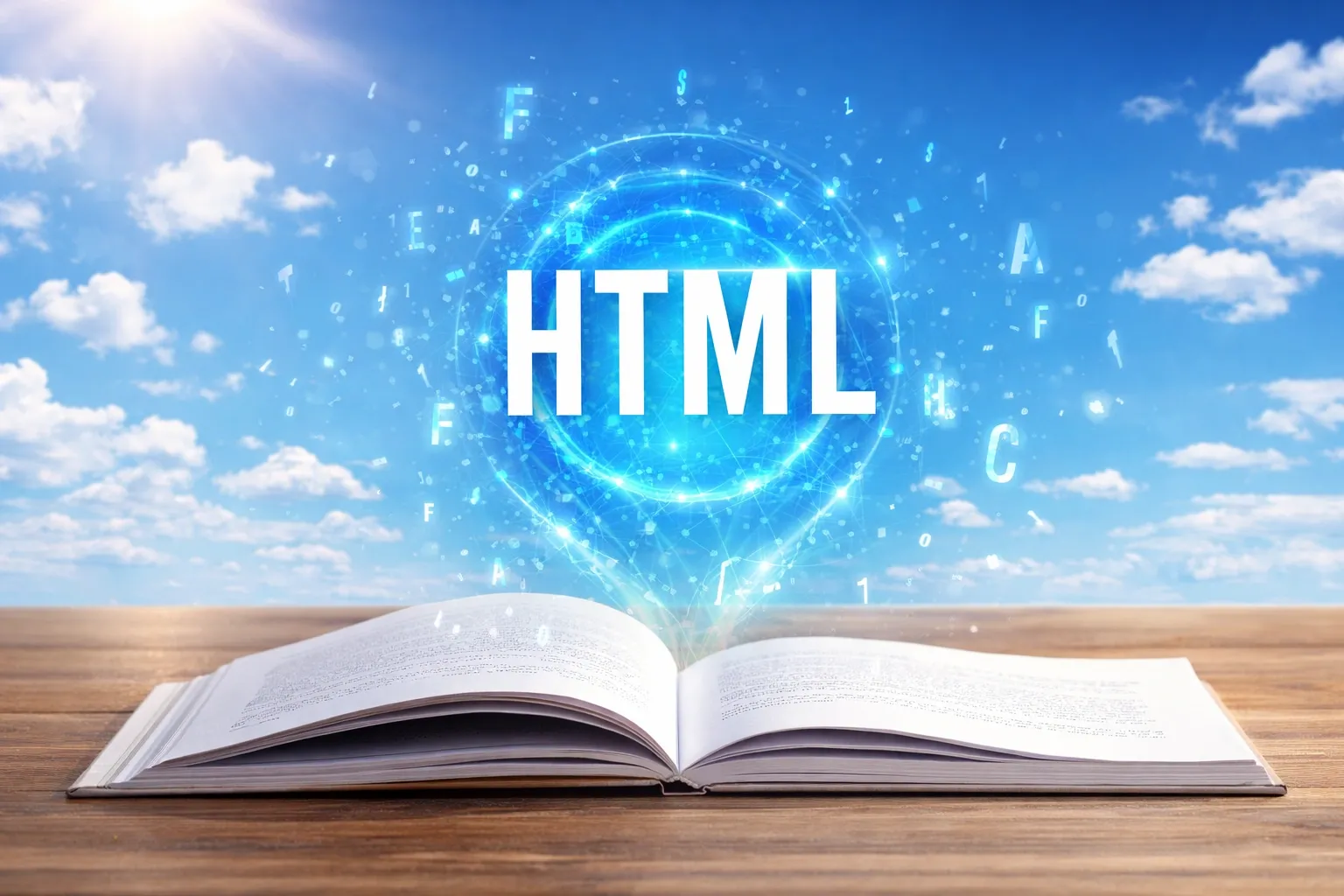
Every HTML page has a base structure that repeats itself, whatever the content.
HTML tags are the instructions used to declare that structure: each tag opens and closes an element, defines what it contains, and establishes its role on the page.
This is not an arbitrary convention: every part has a precise function, and understanding that function is already half the work for anyone who wants to build something on the web.
The minimum structure of any HTML page looks like this:
        <!DOCTYPE html>
        <html lang="en">
        <head>
          <meta charset="UTF-8">
          <title>Title shown in Google search results</title>
          <meta name="description" content="Description">
        </head>
        <body>
          <header>
            <nav>Navigation</nav>
          </header>

          <main>
            <h1>Main topic of the page</h1>
            <p>Content</p>
          </main>
        </body>
        </html>
The first section, enclosed within the head tag, is not visible in the browser.
It contains information about the page itself: its title, the language it is written in, and the description that appears in search results.
This is what determines how the page is presented in search results, in social media shares, and in link previews.
Neglecting it means losing control over how your page appears to the world before anyone has even opened it.
The second section, the body, is the visible part: everything the browser displays on screen. Headings, paragraphs, images, links, forms.
Inside the body, content is organised into semantic blocks:
- Header: typically contains the logo, site name, and main navigation
- Main: wraps the central content of the page
- Footer: holds secondary information, useful links, and the document's closing section
Using these specific tags instead of generic containers is what makes a page comprehensible to search engines, to accessibility software, and to the browser itself.
The fact that this structure is identical on every website in the world is one of the most useful things for anyone who is learning.
When you open the source code of any page, you already know where to look. The structure is familiar before you have written a single line of it yourself.
It is like already knowing that a book has a contents page, chapters, and a cover: the format orients you even when the content is new.
This predictability is also why those who know HTML tags can work on any website without having to start from scratch every time.
An agency project, an e-commerce platform, a professional's blog: different structures in the detail, but always the same foundations.
Those who know them move with confidence. Those who do not face every new project as though it were the first.
How to create an HTML page that actually communicates
There is a difference between a page that displays information and a page that communicates. The difference does not show in the design: it shows in what the visitor does after reading it.
Displaying information is simple: take some text, put it on a page, add a few images.
The visitor reads. Done.
Communicating means something more precise: guiding the visitor, answering the question they have in their head before they even articulate it, helping them understand within seconds whether they are in the right place, and telling them what to do next.
This is not a question of how attractive the site is. It is a question of structure, and structure in HTML follows a precise hierarchy.
Every HTML element carries with it a meaning that goes beyond the text it contains. The main heading of a page is not just large text: it is the subject declaration of the entire page.
There is only one per page, for the same reason a book has only one title.
If you use it three times, you are stating that the page has not one main topic but three. Search engines read this inconsistency for what it is: a signal that the page lacks focus.
Section headings introduce content blocks.
Sub-section headings detail their specific points. This hierarchy is the system by which any reader, human or automated, navigates content without having to read it all.
When it is respected, scanning the headings is enough to understand the structure. When it is broken, as often happens on sites built with visual builders where headings are chosen for their visual size rather than their role, no quick scan works.
The first paragraph of text on any page has a specific job: to filter.
It must answer the unwritten question the visitor brings with them: am I in the right place?
A first paragraph that answers this directly does not lose readers: it selects them.
Those who are not the right audience understand immediately and leave. Those who are the right audience understand immediately that they have found what they were looking for, and stay.
The last thing a page must communicate is the action.
Not five possible options, not a footer with forty links.
One single action, stated clearly.
This is the difference between a page that produces a result and one that leaves the visitor satisfied with having read something, but having done nothing.
Building a page in HTML from scratch forces you to make all of these decisions explicitly, before adding any visual element.
You must decide where the contact button goes, what it says, and why it connects to what you wrote before it.
You cannot defer that decision.
This process, more than any technical knowledge, is what separates a page that does its job from one that merely exists.
How to build an HTML website from scratch: the real setup (not the tutorial version)
Anyone who has tried to start learning to build websites knows this pattern: you get close to the starting point, and the list of things you need to know before you can begin grows faster than you can study them.
First CSS. First the fundamentals of JavaScript. First choose a tool. First understand what a server is. First install this programme, configure that one. The starting point recedes as you run towards it.
Reality is simpler.
To build an HTML website from scratch you need two tools, both of which you almost certainly already have:
- A text editor, to write the HTML file
- A browser, to open it and see the result immediately
The recommended editor is Visual Studio Code: free, downloadable from Microsoft in a few minutes, available on Windows, Mac and Linux.
It recognises tags as you type, flags the most obvious errors, and offers auto-completion.
It is not compulsory: you can start with any text editor.
But Visual Studio Code makes the experience considerably smoother, especially at the beginning. It has no paid tiers, no subscriptions: it is completely free, in the most literal sense.
If you prefer not to install anything before you start, there is an alternative: online HTML editors, often called HTML playgrounds, such as CodePen or JSFiddle.
Open a browser, write your first lines of HTML and CSS, and see the result in real time, without saving files or configuring anything.
It is the fastest way to make a first attempt.
The reason the list of prerequisites always expands is that most online guides are written for people who want to work on existing projects, with established teams and defined tools.
In that context, many things are necessary. To build your first page, you do not need any of them.
On the order of learning: HTML first.
HTML and CSS are two separate languages. HTML says what is on the page. CSS says how it looks.
You can write a complete, readable HTML page without a single line of CSS: it will use the browser's default fonts and no particular layout, but it will work.
HTML and CSS are deliberately separated for a reason: content and presentation are two different concerns, and mixing them creates problems.
CSS comes after, once you have something concrete to work with.
JavaScript follows the same logic.
It adds interactive behaviour to pages. It is useful, but it is not necessary to understand the basic structure.
Master HTML first, then add JavaScript when you have a concrete reason to do so.
If you want a practical exercise to get started: open any page you use regularly. Right-click anywhere on it. A menu appears. Select "Inspect".
You do not need to understand everything. Look for the tags that repeat and try to infer what they do from context. This exercise is worth more than hours of theory.
The part that blocks most people has nothing to do with technology. It is psychological: starting with the awareness that the result will be imperfect.
Those who accept this and create a page, even just one with a heading and three paragraphs, have already taken the hardest step.
CSS and HTML: the mistakes everyone makes at the start (and how to move past them)
Those who learn HTML on their own always make the same mistakes.
Not because they are less capable than those who have taken a course, but because these are logical errors: they arise from assumptions that seem correct but are not.
Knowing them before you encounter them turns them from obstacles into quick checkpoints.
The first is using heading tags to control text size.
If you want text to be large, you put in a first-level heading. If you want it medium, a second-level heading.
The result: pages with three main headings that talk about different things.
The problem is that heading tags are not for controlling size: they are for declaring the hierarchy of content.
Size is controlled with CSS. Using headings as visual controls breaks the semantic structure that search engines and accessibility software read.
The second mistake is forgetting to close tags.
HTML works with opening tags and closing tags: you open a paragraph, write the content, close the paragraph.
If you do not close it, the browser interprets what it has received as best it can, and the result is often unpredictable.
Sometimes the page looks almost normal. Sometimes it collapses. Sometimes it works in one browser and not in another.
The third, and the one that causes the most confusion, is looking inside the HTML for where to change the colour of a text or the spacing between two elements.
That does not live in HTML: it lives in CSS.
HTML and CSS are not the same thing. They are two separate languages, with separate syntax, that work together.
| Aspect | HTML | CSS |
|---|---|---|
| Role | Structure and meaning | Appearance and layout |
| What it defines | Headings, paragraphs, content | Colours, spacing, dimensions |
| When to use it | Always, as the page's foundation | Afterwards, to improve appearance |
| Typical mistake | Using it for visual styling | Looking for structure inside CSS |
HTML defines structure and meaning, CSS defines appearance and layout. Understanding this distinction from the start saves hours of searching in the wrong place.
The fourth mistake concerns images.
Beginners often add an image without including the alternative text.
That field is not a formality: it is what search engines use to understand what an image shows, and what screen readers read aloud for those who cannot see the screen.
A precise, specific description is worth far more than a field filled in carelessly.
The fifth is waiting until the page is "ready" before opening it in the browser.
The correct cycle is the opposite: write five lines, save, reload the browser, see what changed. Then five more lines.
Immediate feedback builds the mental connection between what you write and what appears on screen.
Those who wait until a full page is finished before looking at it end up correcting dozens of things at once, without being able to tell which line caused which problem.
These mistakes do not indicate that you are taking the wrong approach: they indicate that you are learning.
Recognising them when you encounter them, rather than assuming the problem is too complex for you, is already the most important skill built in the first phase.
HTML development: the qualities that well-built websites always share
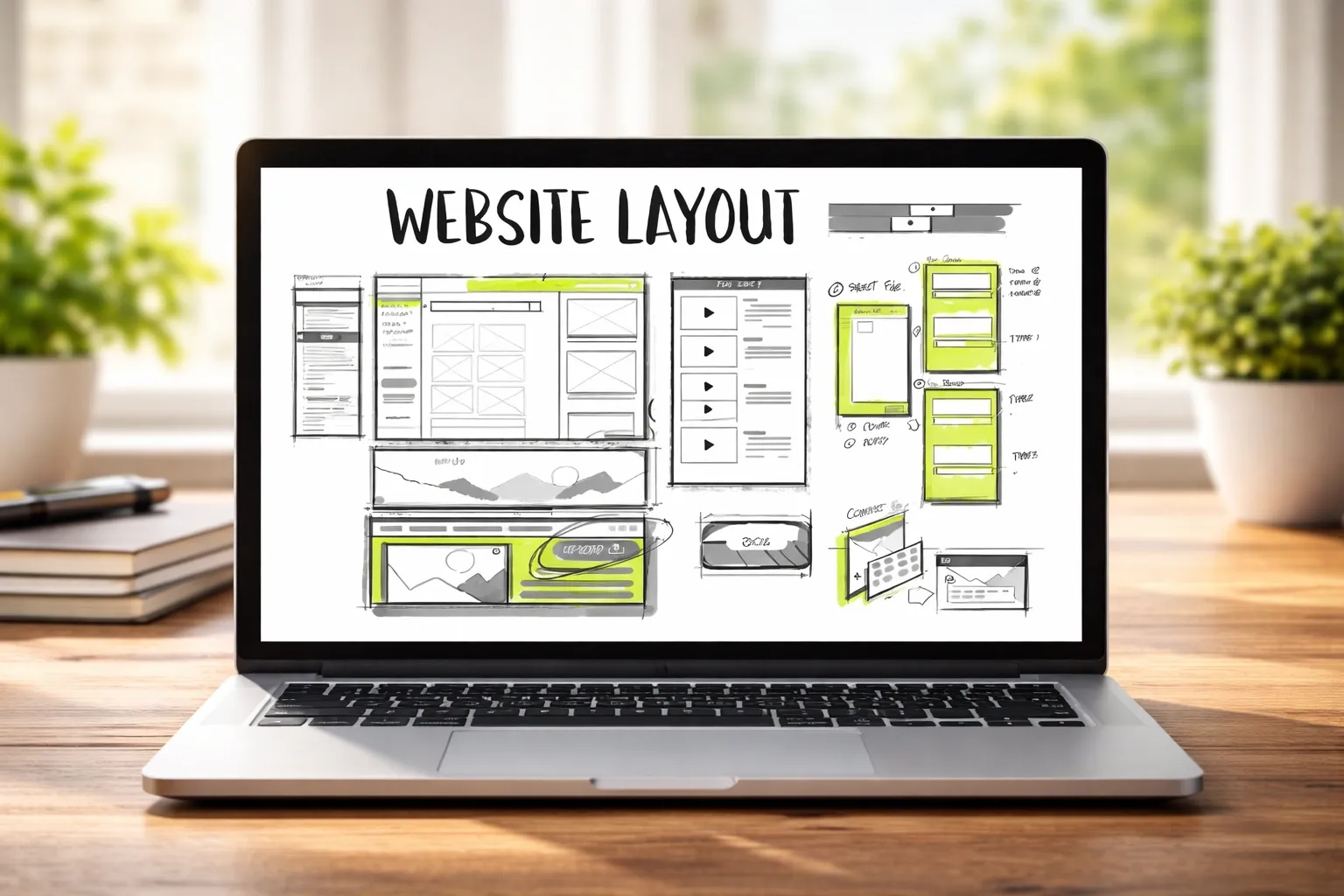
There are quality characteristics that are not visible at first glance but that separate a site built with care from one built in a hurry.
They are not advanced features: they are foundations.
The reason few sites respect them is that visual builders do not make them compulsory, and silently break them while generating code on your behalf:
- Readability without styling: disable the stylesheets in your browser and see what remains. Only the HTML structure is left. If the content is still clear, ordered and comprehensible, the site is solid. If it becomes confused, the visual design is covering a fragile structure. It is a simple test, but it reveals immediately how the site was truly built.
- Heading hierarchy: every page should present its content in an ordered way. A main heading introduces the topic, section headings develop it, sub-section headings go into detail. You do not skip levels and you do not use headings simply to make text bigger. This is not about style: it is about the logical structure of the content.
- Contact forms: every field must be clear even while you are filling it in. A placeholder that disappears when you click is not enough. You need a visible label, always present, that tells you what to enter and that can be clicked to focus the field. It is a small detail, but it fundamentally changes the experience.
- Page title (the title tag): the title is the first thing a user sees, before they even enter the site. It appears in the browser tab and in search results. It must be consistent with what they will find on the page. If it promises something and then disappoints, the user closes the tab and does not return.
None of these qualities require specialist knowledge. They require habit.
Those who write HTML from scratch develop them naturally, because every decision is explicit and visible in the code.
No tool manages them silently on your behalf: you decide them, you write them, understanding why they exist.
At this point the challenge is no longer understanding what to do. It is doing it consistently, without reverting to old habits the moment things get complicated.
The ASP.NET course is designed precisely around this transition: turning these principles from theory into a daily way of working, on real projects, without depending on tools that handle everything for you.
Because knowing what is right is not enough if you cannot apply it when it actually matters.
How to create an HTML website that actually works for those who land on the page
In the first seconds on a page, visitors make a decision that is not rational: do I stay or do I leave?
They do not read everything, they do not analyse the design, they do not compare. They look at what is visible without scrolling and answer one precise question: am I in the right place?
If the answer is no, or even just uncertain, they close the page. This decision happens before the visitor has even finished reading the heading.
The portion of a page visible without scrolling carries disproportionate weight relative to everything else.
The decision to read the rest depends entirely on what is found in those first few seconds.
Those who build sites with visual editors tend to think of this zone as a graphic area, a matter of images and colours. It is not.
It is a matter of structure.
Three elements, above the fold, determine what happens next:
| Element | Real function | Common mistake |
|---|---|---|
| Main heading | Explain immediately what the page is about | Generic phrases with no meaning |
| First paragraph | Select the right reader | Trying to appeal to everyone |
| Primary action | Guide what to do next | Too many confusing options |
What happens behind the scenes of an HTML page: tags, browsers and structure
Every modern browser has a hidden inspection panel. You open it by pressing F12, or by right-clicking anywhere on the page and selecting "Inspect".
What you see is the HTML of the page exactly as the browser received and interpreted it, with all styles applied and the internal structure of the document laid out.
Using this tool on any website is like removing the front panel of an appliance. You see the wiring, the components, how they are connected.
For those who have built even one HTML page from scratch, this view is readable. You recognise the structure, understand the choices, identify where the problem lies.
Try it on a site built with a popular visual builder.
What you typically find is dozens of containers nested inside one another, with class names generated automatically from strings of numbers and letters that mean nothing.
A visually simple section, perhaps a heading with a paragraph beneath it, can correspond to fifteen levels of nested HTML tags.
Nobody wrote that code: an algorithm produced it. It does not express structural decisions: it expresses the output of a tool.
The same section written by hand in HTML takes three or four lines.
The difference shows in the file size, in the time the browser takes to build the page, and in how easy it is to find and fix an error six months later.
In automatically generated code, understanding why something does not work requires understanding the internal logic of the tool that produced it, a logic that is usually documented nowhere.
When a browser receives HTML, it builds an internal representation of the page: a tree of elements, each with its place in the hierarchy.
This structure is what JavaScript modifies to make interactive things happen: adding an element, hiding another, changing the text of a paragraph.
Those who understand how this structure is built understand why certain interactive behaviours work where they work, and not in other parts of the page.
The same applies to those who develop web applications with C# and ASP.NET Core.
Razor views, the .cshtml files that make up every page of an ASP.NET MVC application, are HTML with C# embedded: the page structure, heading hierarchy, form tags, and navigation links are all HTML written by a developer.
Without HTML, Razor remains in part a black box. But it is equally true that, in the right context, you can use it to get concrete results from the start.
What makes the difference is not the language, but the path: if someone guides you to connect what you write with what happens underneath, you learn while you build, not after you have failed.
Those who have built even a single HTML page from scratch immediately recognise every element, because it is exactly the same language.
AI tools generate HTML on demand. Describe a page, receive code in seconds.
The code may be good, or it may contain structural errors: headings without hierarchy, images without alternative text, forms without labels.
If you can read HTML, you can evaluate what the tool produces and correct it. If you cannot read it, you accept it as it arrives, errors included.
Understanding what happens behind the scenes is not only useful when something breaks.
It is useful every time you work on a page someone else built, and every time a tool produces code and you need to decide whether to trust the result.
If you want to reach the point where you open a page and immediately understand what is happening, you need to go one step beyond "try it and see what happens".
The ASP.NET course is built precisely around this: reading, building and modifying real pages while knowing at all times what you are doing, without relying on guesswork or tools that hide the code.
This is the point where you stop interpreting and start controlling.
Your first HTML website can change your career (if you use it right)
There is a concrete, observable difference, visible to anyone reading a CV or reviewing a portfolio, between "I know how to use WordPress" and "I built this page from scratch".
This is not a matter of technical snobbery. It is a matter of what each claim communicates.
Knowing how to use WordPress says you are familiar with one tool.
Building an HTML page from scratch says you understand how the web works.
The second skill is transferable: those who have it can learn any tool, because they understand what every tool is doing under the surface.
Those who only know the tool are dependent on that tool, and this shows the moment a project requires something different.
Or when the tool changes its pricing, its terms, or is discontinued.
The first HTML site you publish online is the first tangible proof of what you can do. Not a course certificate, not a line on a CV: a web address anyone can open and see.
It can take very simple forms, for example:
- A personal page, to introduce yourself in a clear, direct way
- A portfolio, to show what you have already built
- A landing page, to give shape to a concrete idea and publish it immediately
It does not matter how simple it is: what matters is that it exists, that it is yours, and that it does not depend on any platform to function.
Publishing it online does not require paying for hosting or registering a domain.
GitHub Pages is a free service that turns HTML files you upload to GitHub into a site accessible from any browser.
The address follows the format yourname.github.io/project-name. It is stable, costs nothing, and does not expire.
Using GitHub for the process also introduces you to one of the most widely used tools in software development, including web application development with C# and .NET.
For those considering a move into web or software development, this first online project carries a psychological weight that goes beyond the portfolio.
Building something that works, seeing it live, being able to show it, changes how you see yourself in relation to technology.
You shift from being someone who uses things other people built to someone who builds.
After the first site, the natural question arises: what do I learn next?
The most direct path runs through CSS to control how the page looks, then JavaScript to add interactive behaviour.
From there, the road that leads furthest in terms of professional opportunity leads to server-side development: real web applications with databases, authentication, and business logic.
In the .NET ecosystem, this means ASP.NET Core with C#.
The same HTML pages you have learned to build become Razor views, where C# and HTML coexist to produce dynamic pages.
The HTML you know is not discarded: it becomes the structure the server-side layer relies on. It is the vocabulary of the web, one you will still be using twenty years from now.
HTML: free, permanent, powerful. Why learning it today is still a choice for independence

HTML has existed since 1993.
Tim Berners-Lee created it to share scientific documents between researchers. Thirty years later it is still the language on which every website on the planet is built.
It has not been replaced. It has not become obsolete.
This longevity is not accidental.
HTML solves a fundamental problem in a straightforward way: describing the structure and content of a document that a browser can display.
As long as browsers exist, HTML exists with them. And everything you learn about HTML remains valid. You cannot say the same of almost any other tool in the web industry.
Frameworks change, replace one another, come into fashion and then disappear. Angular was the standard, then React arrived, then Vue, then others.
No-code platforms evolve, change their pricing, get acquired, and some close. HTML remains.
This matters in particular for those who develop with C# and .NET.
The ASP.NET Core stack is among the most widely used web development environments in enterprise settings, and every application it produces generates HTML.
Razor templates, transactional emails, Blazor components, HTML reports converted to PDF using dedicated libraries: everything converges on HTML as the output format for the browser or for print.
A C# developer who does not know HTML always works with a layer of opacity between themselves and the final result.
A C# developer who knows HTML builds web applications with full awareness of what is being sent to the browser, and resolves problems in half the time.
The second dimension of freedom is independence from commercial platforms. A site built on Wix cannot be moved elsewhere.
A site built on WordPress.com has limits on what you can modify.
We have all seen what happens when a platform changes its pricing or shuts down: those who have the code can migrate in an afternoon, those who depend on the tool start over from scratch.
An HTML file is a text file. You can open it with any editor, move it to any server in the world, modify it without asking anyone's permission and without paying subscriptions.
Learning HTML is not learning the past.
It is acquiring the vocabulary without which you cannot reason about the present, and cannot evaluate what tools, including AI tools, produce on your behalf in the future.
Language models generate HTML quickly and often correctly. But "often" is not "always".
HTML produced by an AI system can have headings without hierarchy, images without alternative text, form fields without labels, disorganised structure.
Those who know how an HTML document should be built can review what they receive, guide the tool towards a better result, and recognise when the output is wrong before publishing it.
Those who cannot read it publish whatever arrives, unfiltered.
The starting point requires no special conditions.
A free text editor, a browser, an empty file. The first line you write is already something that did not exist before.
From there, every page adds a skill that no plugin update and no platform migration will ever take away.
The question is no longer whether HTML is simple or difficult.
The question is whether you want to keep working on top of things you use every day without truly understanding what happens when they break.
You can continue to rely on tools, plugins, and code generated by others, starting from zero every time something stops working.
Or you can take seriously the point where all of this begins, which is precisely the level on which pages and applications are built in the ASP.NET Core with C# course.
Because from this point on it is no longer a matter of lacking the means. It is a matter of choosing whether to remain dependent on what you do not control.
And that is no longer a consequence. It is a decision.
Frequently asked questions
Because every web page, regardless of how it was built, is HTML. WordPress generates HTML from PHP, React generates HTML from JavaScript, Squarespace generates HTML from proprietary templates. Those who understand HTML can read any page, diagnose any rendering error, and work on any web project. Those who only know how to use a builder can only work on what that builder has built, and get stuck at the first problem that falls outside the tool's intended path.
A text editor and a browser: both already installed on your computer. The recommended editor is Visual Studio Code, free and available on all operating systems. To open a local HTML page you do not need a server, hosting, domain, or any configuration. Create a file with the .html extension, open it in the browser, and see the result. There is nothing else to do before you start.
No. HTML and CSS are separated by design: HTML defines the structure and meaning of content, CSS defines how it looks visually. You can write valid, functional HTML without adding any styles. The page will use system fonts and have no particular layout, but it will be readable and correct. Add CSS afterward, once you understand how HTML works and have something concrete to apply styles to.
In the technical sense, a modern website is fast, accessible, and semantically correct. A hand-written HTML page can be 25 kilobytes and load in under half a second. An equivalent page built with a page builder typically loads 1.5 to 3 megabytes and takes 3 to 6 seconds to become interactive. Google has measured performance with Core Web Vitals since 2021. Visual complexity is not an indicator of technical quality: often it is the opposite.
GitHub Pages is the simplest solution. It is free, stable, and requires no server configuration. Create a Git repository with your HTML files, upload it to GitHub, and the site is accessible at a public address like tuonome.github.io/project-name. No payments, no expiration, and in the process you learn Git, one of the fundamental tools of any professional development environment.
Five foundations that many sites break silently: 1) content readable even without CSS, 2) heading hierarchy respected (one h1 per page, h2 for sections, h3 for subsections), 3) descriptive alt attribute on every informational image, 4) label tag associated with every form field, 5) specific title tag for each page, not generic. None of these require advanced knowledge: they require attention and habit.
Learning WordPress teaches you to use a specific tool. Learning HTML teaches you how the web works. The difference is the same as learning to use autocorrect versus learning grammar. The autocorrect works until it does not: when it fails, you do not know why. Those who understand HTML can work on any web project, diagnose any error, evaluate AI tool output, and learn any future framework starting from solid foundations.
Leave your details in the form below