Why should a .NET developer understand MCP?
For a .NET developer, understanding MCP means being able to expose any existing service or feature to any compatible AI assistant, without rewriting anything for each platform.
An MCP server written in
C# today works with Claude, Cursor, Windsurf and any other MCP client that comes tomorrow. It is the equivalent of REST APIs for the agentic AI world.

You know that feeling when you open the documentation for a new AI tool and realize, by page two, that the integration you planned to finish this afternoon is going to take three days?
That is not an exaggeration. It is the daily reality of anyone working with AI in 2026.
Every platform has its own rules. Its own call format. Its own authentication. Its own way of passing context.
You can build a perfect integration with one tool and then discover that the tool your client uses does not recognize it.
You can spend weeks optimizing an AI assistant on one system and then start over because the company switched providers.
The problem is not the technology. The problem is the absence of a common language.
Imagine building a magnificent bridge between two cities, only to find that the cars on the other side are a different size and cannot cross it.
That is what happens every day to developers trying to connect AI tools to real systems without a shared standard.
But something has changed.
In 2024, Anthropic published the specification for an open protocol designed precisely for this problem: a common language that lets any AI tool talk to any external service, without proprietary integrations, without constant rewrites.
By 2026, this protocol, called Model Context Protocol (MCP), is already adopted by Claude, Cursor, GitHub Copilot and Windsurf, and has become the way AI talks to the world.
For professional software developers, this changes everything.
Not because it is another framework to learn. But because developers who know how to build MCP integrations today are investing in infrastructure that will remain valid regardless of which AI model companies use tomorrow.
It is the same difference that existed twenty years ago between those who knew how to design standard APIs and those who built point-to-point integrations that broke with every change.
The market always remembers who got there first.
What is MCP and why it is becoming the standard for agentic AI
The Model Context Protocol is an open specification that defines how AI applications can communicate with external data providers and tools.
Anthropic published the specification at the end of 2024: in less than a year it had already reached the stable version 2024-11-05.
The problem it solves is not new, but the solution is elegant.
Before MCP, integrating a service with an AI assistant always meant facing the same pattern:
- Rebuilding specific integrations for each provider
- Maintaining multiple versions of the same code
- Rewriting everything with each technology change
- Accepting a hard dependency on the chosen vendor
Every new AI provider required a fresh integration effort from scratch.
With MCP, the contract is standardized. An MCP server exposes its capabilities in a universal format.
Any MCP-compatible client can connect, discover available tools, and invoke them. The server logic does not change regardless of which AI uses it.
The comparison to REST APIs is useful: before standard APIs, every integration was point-to-point.
REST APIs standardized how systems talk to each other over HTTP. MCP standardizes how AI models talk to tools.
Those who build MCP servers today are investing in infrastructure that works across all current and future AI clients, without rewrites.
For development teams, the impact is concrete: companies building internal AI tool suites can expose them once via MCP and make them available to any AI assistant the team adopts, whether that is Cursor today or something else tomorrow.
How MCP works: client-server architecture and connection modes
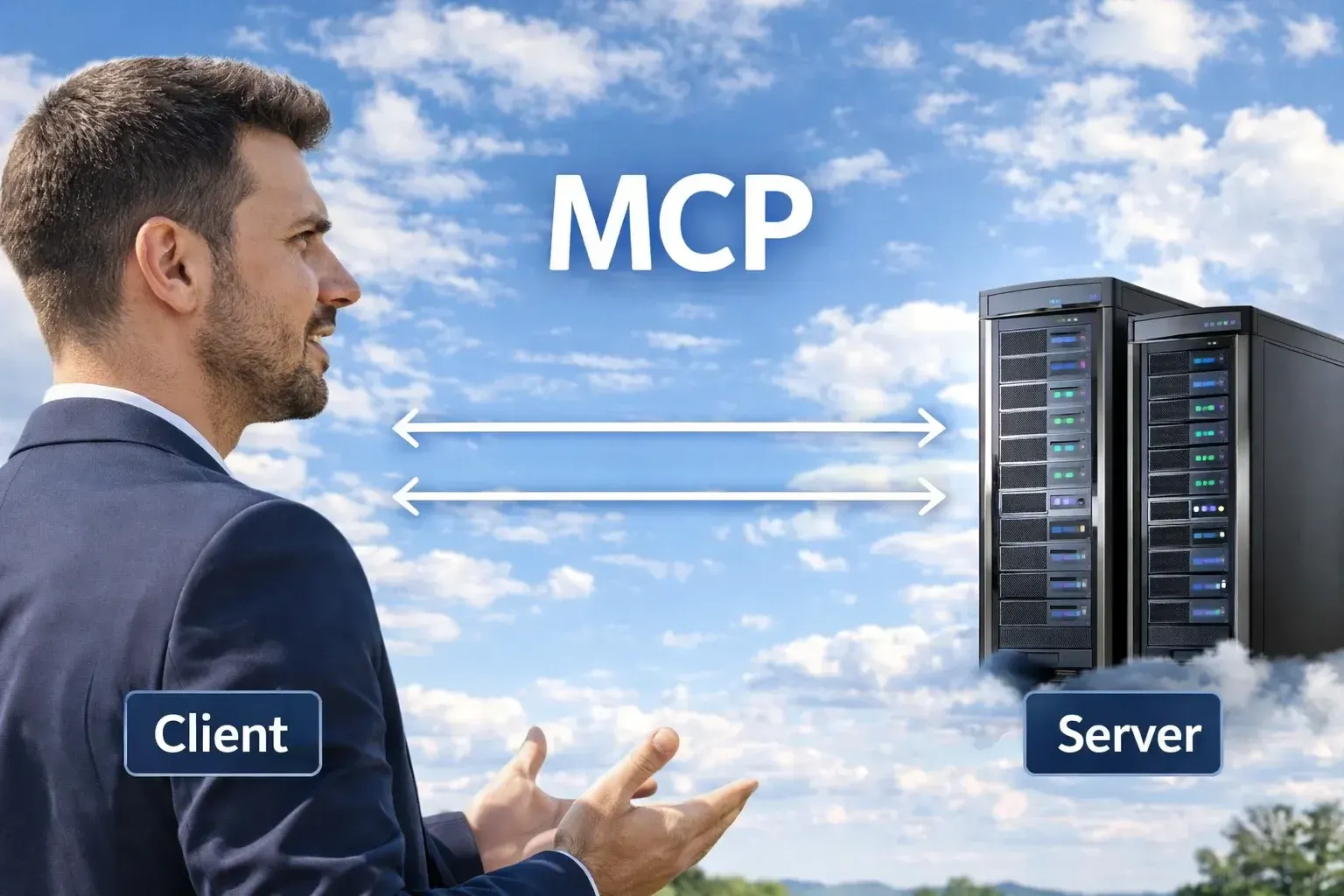
MCP follows a client-server architecture with three distinct roles. Understanding them is the starting point for everything else.
- The Host is the AI application that wants to access external tools: Claude Desktop, Cursor, a custom application built with Semantic Kernel. It knows how to talk to AI models and knows it can make calls to MCP servers to extend its capabilities.
- The MCP Client is the component inside the Host that manages communication with MCP servers: tool discovery, invocation, error handling, protocol version negotiation. The application you build does not need to implement this layer: the official clients already handle it.
- The MCP Server is the application you build.
It exposes capabilities to the AI world: tools that can be invoked, resources that can be read, prompt templates.
It can be a local process or a remote service.
How they connect: stdio and HTTP
MCP supports two connection modes, each suited to different scenarios:
| Mode | Where it is used | Main advantages | When to choose it |
|---|---|---|---|
| stdio | Local (Cursor, Claude Desktop) | Simple, zero configuration | Local tools and development |
| HTTP | Remote server | Scalable, supports authentication, distributed | Production and enterprise environments |
// Choose the connection mode based on the scenario

// Scenario 1: Local tool (Cursor, Claude Desktop)
builder.Services
    .AddMcpServer()
    .WithStdioServerTransport()
    .WithToolsFromAssembly();

// Scenario 2: Remote server on ASP.NET Core
builder.Services
    .AddMcpServer()
    .WithHttpServerTransport()
    .WithToolsFromAssembly();

// In both cases, tool code is identical:
// the connection mode is transparent to the implementation
The three MCP capability types: tools, resources and prompts
An MCP server can expose three types of capabilities, each with a specific purpose. Knowing when to use one over another is the key to designing good MCP servers.
Tools: actions the model can execute
Tools are functions the AI model can invoke to do something in the real world.
- Search products in a catalog
- Create or update an order
- Send emails or notifications
- Run queries on corporate databases
The defining characteristic is that they have effects: they modify data, send information, execute operations.
Each tool has a unique name, a natural language description — critical: this is what the model reads to decide whether and when to invoke it — and a schema defining the required parameters.
Resources: data the model can read
Resources are data sources the AI model can consult to enrich its context before responding.
Unlike tools, resources are generally read-only operations: a customer profile, a document from the corporate knowledge base, system configuration data.
The model can request to read a resource before responding, obtaining up-to-date data without it being written manually into every prompt.
Prompts: reusable templates
Prompts are parameterized templates the server exposes to the client.
They allow standardizing common interactions within an organization: an MCP server for a CRM might expose a "generate_customer_report" template that accepts a customer ID and returns a structured model for analyzing the customer profile.
Less used than tools in typical integrations, but useful for standardizing complex AI workflows.
Knowing how to design AI systems that combine these three mechanisms is a skill that is still rare in most markets.
It is not a technical footnote: it is the difference between developers who build solid AI architectures and those who assemble proof-of-concepts that never reach production.
Want to become the .NET developer who can build these systems? Discover our AI Programming Course.
Building an MCP server in .NET with the official Microsoft package
Microsoft released the official ModelContextProtocol package for .NET in 2025.
By 2026 it is already at version 0.6.x with a stable, well-documented API.
Building a Model Context Protocol server in C# has become accessible to any .NET developer: the starting point is installing the packages and configuring the server in Program.cs.
// Program.cs for a standalone MCP server (stdio mode)
var builder = Host.CreateApplicationBuilder(args);

// Domain services register normally via DI
builder.Services.AddScoped<IProductRepository, ProductRepository>();
builder.Services.AddDbContext<AppDbContext>(options =>
    options.UseSqlServer(builder.Configuration.GetConnectionString("Default")));

// Configure the MCP server
builder.Services
    .AddMcpServer()
    .WithStdioServerTransport()
    .WithToolsFromAssembly(); // Automatically discovers all registered tools

await builder.Build().RunAsync();
For a server with HTTP transport on ASP.NET Core, the structure is equivalent: replace WithStdioServerTransport() with WithHttpServerTransport(), add the authentication middleware and map app.MapMcp().
The tool code does not change by a single line.
Worth emphasizing: an MCP server in .NET is a normal host application, with dependency injection, configuration, logging.
You are not learning a new programming model, you are extending the one you already know.
Defining MCP tools: descriptions, parameters and dependency injection
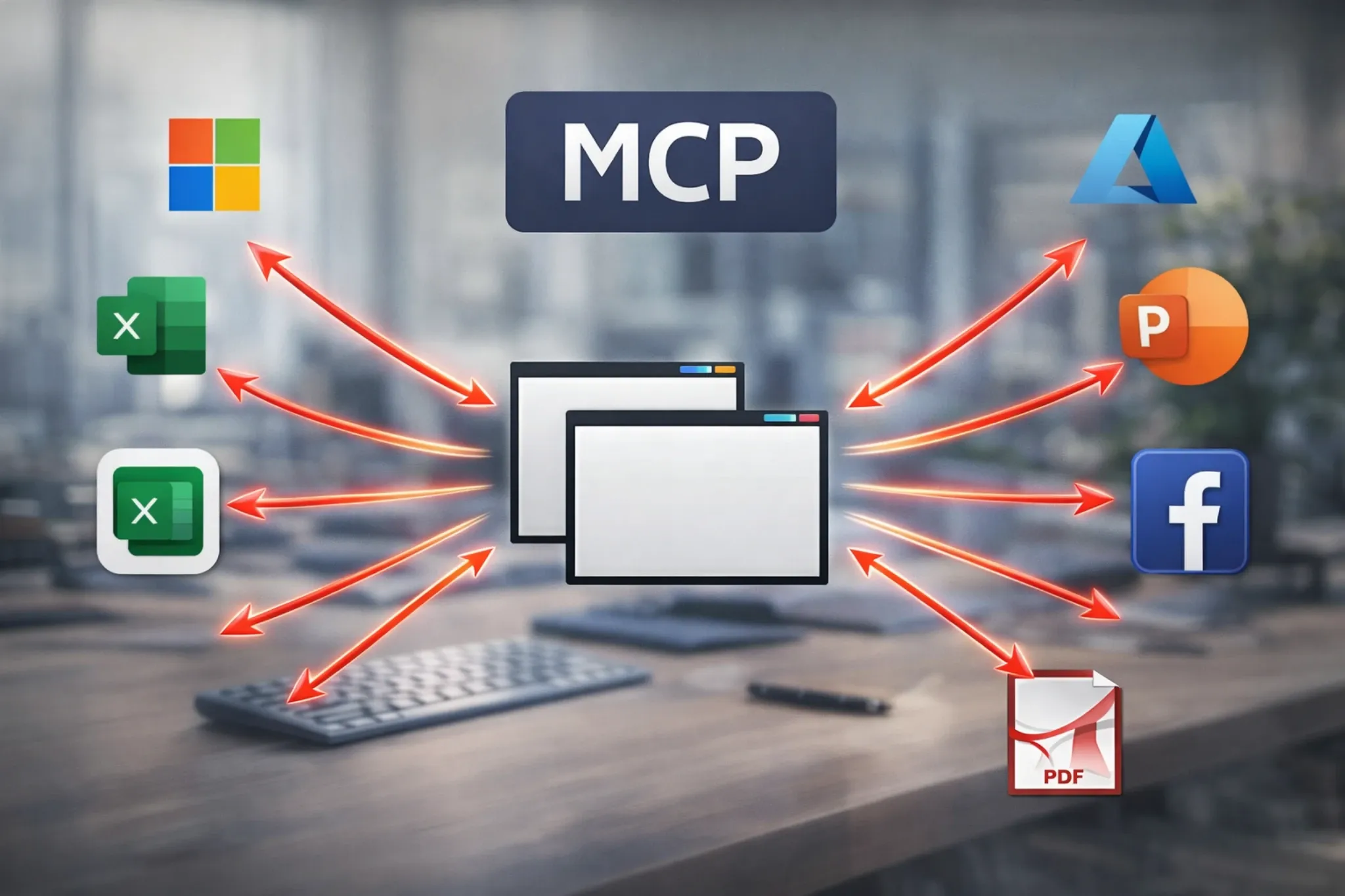
The quality of a tool description is as critical as the quality of its implementation.
The limits of my language are the limits of my world.Ludwig Wittgenstein — philosopher (1889 - 1951)
The AI model decides when to invoke a tool based solely on the description: a vague description leads to incorrect or missed invocations. A precise description leads to an integration that "just works" from the user's perspective.
[McpServerToolType]
public static class CatalogTools
{
    [McpServerTool]
    [Description("Search products in the catalog by name, category or SKU code. " +
                 "Returns name, code, price and stock level. " +
                 "Use this tool when the user asks about products, stock or availability.")]
    public static async Task<string> SearchProducts(
        [Description("Search term: product name, category or partial SKU")] string query,
        [Description("Maximum number of results. Default: 10, max: 50")] int limit = 10,
        IProductRepository repository = null!)
    {
        var products = await repository.SearchAsync(query, limit);

        if (!products.Any())
            return $"No products found for '{query}'.";

        var lines = products.Select(p =>
            $"- {p.Name} | SKU: {p.Sku} | Price: {p.Price:C} | Stock: {p.StockLevel} units");

        return $"Found {products.Count} products:\n{string.Join("\n", lines)}";
    }
}
Dependency injection in tools
Parameters with types registered in the DI container are resolved automatically, without additional configuration.
Parameters with the [Description] attribute are exposed as tool parameters in the MCP protocol. The framework distinguishes the two cases without ambiguity.
The practical result: an MCP tool can receive repositories, services and database contexts exactly like any other component in the application.
Business logic is not duplicated, it is reused.
The quality of an MCP tool description is directly proportional to the quality of the integration.
I have seen servers with excellent code fail because the model did not understand when to invoke the tools. And servers with simple code work perfectly because the descriptions were precise and contextualized.
Exposing resources: files, databases and structured data via MCP
Resources allow the AI model to access data explicitly, separate from tools that execute actions.
The distinction is conceptually important: reading a customer profile is a resource, updating it is a tool.
To expose dynamic resources, you implement the IResourceProvider interface: one method that lists available resources, used for discovery, and one method that returns the content of a specific resource given its identifier.
Resources can return text, JSON or binary data.
A common pattern in the .NET context is exposing documents from the corporate knowledge base as resources: company policies, technical manuals, product documentation.
The model can consult them before answering specific questions, without the content needing to be copied manually into every prompt.
Another frequent use is exposing the most recent records from an operational system — orders, customers, tickets — as navigable resources, letting the model read live data in real time.
The choice between tool and resource follows a simple rule: if the operation reads data without modifying anything, it is probably a resource.
If it has side effects or requires complex search parameters, it is better suited as a tool.
Want to design AI-ready architectures that integrate tools and models at scale?
Authentication and security in a production MCP server
An MCP server that exposes corporate data or executes operations with side effects needs robust authentication.
In practice, this means protecting three fundamental aspects:
- Who can access the server
- What they can do once authenticated
- Which operations must be audited
The strategy depends on the connection mode chosen.
Stdio mode: security through process isolation
With stdio, security comes from process isolation: the server is started by the local user and runs with their system permissions.
No additional authentication is needed to access the server, but it is good practice to add authorization checks at the individual tool level for sensitive operations, verifying that the current user has the correct role before executing destructive operations or reading restricted data.
HTTP mode: standard ASP.NET Core authentication
With HTTP transport, you use the standard ASP.NET Core authentication middleware, exactly like any other web API.
The MCP client includes the authentication token in requests as an Authorization: Bearer {token} header.
You can use JWT, API keys, OAuth 2.0 or any scheme already in use in the organization's infrastructure. The MCP endpoint is protected with one line: app.MapMcp().RequireAuthorization("PolicyName").
What not to overlook for tools with side effects
Log every write operation in an auditable trail: who invoked the tool, when, with what parameters and what the outcome was.
Protect destructive operations with a two-phase confirmation mechanism: the first tool shows a summary and returns a temporary token, the second executes the operation only when it receives that token.
Apply rate limiting for sensitive tools to prevent accidental or intentional misuse.
Validate and sanitize all incoming parameters, especially those that end up in SQL queries or system commands.
Testing and debugging an MCP server with the MCP Inspector
The MCP Inspector is an official MCP project tool for interactively testing a server without configuring a full AI client.
It is a web interface that connects to your server and lets you invoke tools, read resources and verify behavior in real time during development.
Start the MCP Inspector pointing it at your server:
npx @modelcontextprotocol/inspector
dotnet run --project ./MyMcpServer
For automated tests, the .NET MCP SDK exposes the client programmatically: you can start the server in-process, connect via MCP client and invoke tools exactly as you would with any ASP.NET Core integration test.
The pattern is the same: test host, client, assert on responses.
A practical tip when developing an MCP server: set a high log level, Debug or Trace.
The protocol is detailed in its messages and the logs show exactly what happens during each invocation: parameters received, routing to the correct tool, response returned.
It is the fastest way to understand why an integration is not behaving as expected.
Connecting your MCP server to Cursor, Claude Desktop and other clients
You have built the server, now you need to connect it to clients.
The concept is: give the client the command to start the server (stdio) or the server URL (HTTP).
Configuration varies by client, but once you understand the logic it takes minutes to replicate.
MCP integration with Claude Desktop in .NET
Edit the claude_desktop_config.json file (on Windows: %APPDATA%\Claude\claude_desktop_config.json):
    {
    "mcpServers": {
        "product-catalog": {
            "command": "dotnet",
            "args": ["run", "--project", "C:/projects/CatalogMcpServer", "--no-build"],
            "env": {
                "ConnectionStrings__Default": "Server=localhost;Database=Catalog;Integrated Security=true"
            }
        }
    }
}
Cursor and other IDEs
In Cursor, open settings (Ctrl+Shift+P, then "Cursor Settings"), go to the "MCP Servers" section and add the configuration using the same JSON format.
The principle is identical across all MCP-compatible clients: declare the startup command for local servers, or the URL for remote ones, and the client handles the rest.
Semantic Kernel integration
For teams focused on building AI agents in .NET with Semantic Kernel, the official package exposes an MCP adapter that automatically translates the server's tools into Semantic Kernel functions.
With a few lines of configuration, your MCP server becomes a tool source for any agent built with SK, regardless of the underlying AI model.
MCP vs OpenAI function calling: when to use one, when the other
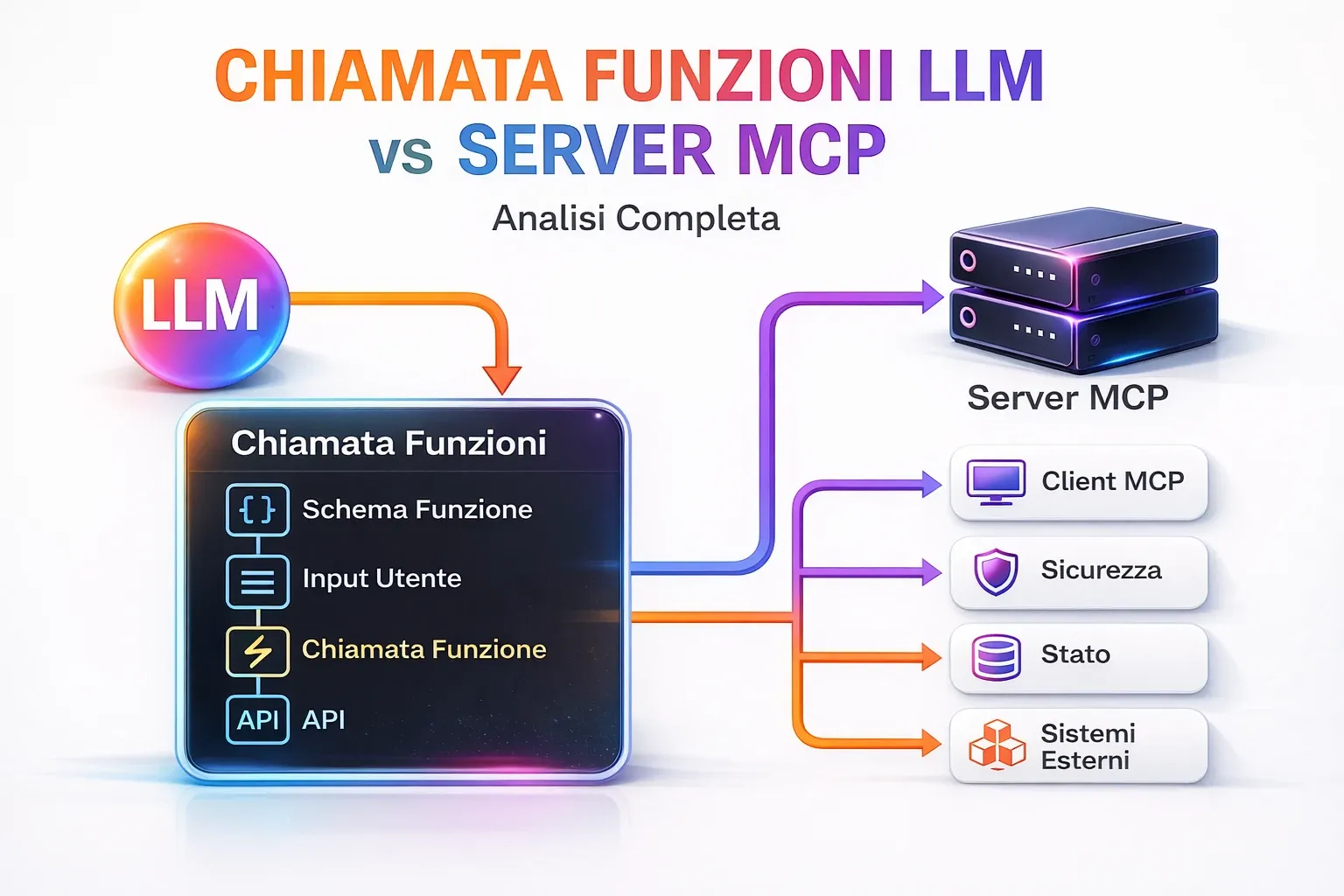
The question is legitimate: if you are already using OpenAI function calling in your systems, is migrating to MCP worth it? Not necessarily. The choice depends on your context.
The real difference is not technical, but strategic:
| Aspect | OpenAI Function Calling | MCP |
|---|---|---|
| Provider | Single | Multi-provider |
| Portability | Low | High |
| Initial complexity | Lower | Higher |
| Scalability | Limited | High |
| Reusability | Low | High |
If your system is locked into OpenAI, or Azure OpenAI, and you have no intention of changing models, function calling is simpler to integrate.
You do not need a separate server, everything lives in the application that calls the API. For simple use cases with a few tools and a single provider, it is the path of least resistance.
The main limitation: function calling is not portable.
If you want to use Claude, Gemini or an open source model tomorrow, you must rewrite the tool integration from scratch, or maintain two parallel implementations indefinitely.
MCP makes sense when one or more of these conditions are true:
You want your tools to work with multiple AI clients: Cursor, Claude Desktop, GitHub Copilot, custom applications.
You are building shared corporate tools that different teams will use with different AI assistants.
You want to avoid vendor lock-in and be able to change models without touching the tool implementation.
You are building an integration that other developers on your team or company might reuse.
Your use case requires result streaming or asynchronous notifications, which MCP handles natively.
The right question is not "MCP or function calling?" but "do I want this set of tools available to a single provider or to the AI ecosystem as a whole?".
If the answer is the ecosystem, MCP is the choice.
To explore how Semantic Kernel integrates with MCP and how to build complex AI agents in .NET, read our article on Semantic Kernel and its ecosystem.
To understand how these tools are changing the way software is built, check out what really changes for software developers in the agentic AI era.
You understand the why. Now you need the how.
Choosing MCP is the right call, but building the complete .NET architecture around it — managing security, deployment and agent orchestration — is what turns good intentions into real systems that work in production.
If you want to get there, the AI Programming Course is the right path.
MCP and the future of agentic AI: what to expect
MCP is not just a technical protocol: it is the infrastructure on which the AI agent ecosystem is being built.
In 2026, adoption has exceeded initial expectations.
The best way to predict the future is to invent it.Alan Kay — computer scientist and pioneer of object-oriented programming (1940 - present)
GitHub announced native MCP support in GitHub Copilot. JetBrains is integrating it across all IDEs. Microsoft is adopting it in Copilot Studio for Teams.
Upcoming specification developments include:
- Sampling API: allows the MCP server to make requests to the client's AI model, opening the door to collaborative AI patterns where the server can ask the model to interpret data before returning it.
- Native OAuth 2.0: direct integration with the standard authorization framework for remote MCP servers, without implementing custom authentication.
- MCP Registry: a public catalog of verified MCP servers, similar to NuGet for .NET packages, where companies can publish their servers with a verified schema.
For professional software developers, the message is clear: AI integration is no longer an optional feature, it has become a baseline expectation.
Companies seeking AI agent consulting and development expertise will find the market still wide open in many sectors: those who build these skills today position themselves as the reference point when enterprise demand accelerates.
Teams that learn to build MCP servers today have a significant advantage in adopting the corporate AI tools of the future.
If you want to explore the architectural side of these systems, our article on AI agents with .NET and Semantic Kernel shows how MCP fits into more complex architectures.
In 2026, the market is selecting. Developers with these skills work on interesting projects, with serious clients, at rates that reflect real value.
Those who wait find the space already taken.
You do not have to wait for it to happen: the AI Programming Course lets you build today the advantage that tomorrow will be hard to close.
The MCP ecosystem: ready-to-use servers for databases, SaaS and development tools
Building your own MCP server is not always the right first move.
Before writing code, it is worth knowing what already exists.
The MCP ecosystem has seen rapid growth in open source and commercial servers covering the most common integrations.
The main reference is the official modelcontextprotocol/servers repository on GitHub, maintained by Anthropic and the community.
It contains reference implementations for the most requested integrations. Many are already in production, used by thousands of developers every day.
Before building a custom integration, check whether a reference server already covers your use case.
MCP servers for databases: SQL Server, PostgreSQL, SQLite
Database MCP servers are among the most requested. The common pattern is to expose tools for running queries, inspecting the schema and reading data.
For SQL Server in the .NET context, the most common solution is building a custom server, because it lets you control exactly which operations are permitted.
Leaving an MCP server with unrestricted SQL access in production is a security risk: the correct pattern is to expose only stored procedures and predefined views as MCP tools, preventing the AI model from constructing arbitrary queries against the full database schema.
MCP servers for SaaS: GitHub, Jira, Slack, Google Drive
Anthropic and the community maintain reference MCP servers for the most widely used services in software development.
The GitHub MCP server lets Claude Desktop read issues, open pull requests, comment and search repository code. The Jira server lets you query tickets, change status and add comments.
Services with ready-made or actively developed servers include Google Drive, Notion, Linear, Figma and Confluence.
Before building any integration, search GitHub with the term "mcp-server" followed by the service name.
How to evaluate a third-party MCP server
Not all available MCP servers are production-ready.
When evaluating a third-party server, check: the number of GitHub stars as an indicator of real-world adoption, the presence of automated tests, and clear documentation on required permissions and transmitted data.
For sensitive corporate data, always consider building the server internally even if an open source solution exists: you have full control over what is exposed and how.
Composing multiple MCP servers in a single integration
A powerful aspect of the MCP architecture is the ability to connect multiple servers to the same client.
Claude Desktop can be configured simultaneously with a server for the corporate database, one for GitHub, one for Google Drive and a custom one for the ERP.
The AI model has access to all tools from all servers and can compose them to answer complex questions that span multiple systems.
A concrete example: "Create a Jira ticket with a summary of the last five production log anomalies from yesterday."
This single natural language instruction can invoke the log-reading tool from the database server, process the results, then invoke the ticket-creation tool from the Jira server, without the user doing anything more than typing that sentence.
This is agentic AI in practice: not a single tool, but an orchestrated composition of heterogeneous tools.
MCP servers in production: deployment, observability and scaling
Moving from an MCP server that works locally to one ready for production requires attention to aspects that tend to be ignored during development: containerization, monitoring, rate limiting and secure credential management.
| Aspect | Local development | Production |
|---|---|---|
| Deployment | Manual | Containerized (Docker) |
| Scalability | Not relevant | Automatic |
| Security | Minimal | Authentication and auditing |
| Monitoring | Basic logging | Structured logging + metrics |
| Credentials | Hardcoded or local config | Secret manager (Key Vault, etc.) |
Containerizing an ASP.NET Core MCP server
An MCP server with HTTP transport containerizes exactly like any other ASP.NET Core application: the standard Dockerfile works without modification.
The only MCP-specific consideration involves the reverse proxy.
SSE connections are long-lived HTTP connections and must not be interrupted before their natural close: make sure the proxy timeout is configured accordingly, regardless of whether you are using nginx, Traefik or Azure Application Gateway.
Deploying to Azure Container Apps
Azure Container Apps is the natural choice for MCP servers in the Azure context: it handles automatic scaling, networking and SSL certificates.
One critical configuration not to overlook: keep at least one minimum replica always active.
SSE connections are long-lived, and if the container scales to zero and must cold-start while a client is already waiting, the connection fails.
Sensitive credentials such as connection strings and API keys must always go into Azure Key Vault, never in container environment variables as plain text.
Monitoring tool invocations
Monitoring is more valuable for an MCP server than for a traditional REST API, because tool invocations are generated by an AI model rather than directly by a user.
You need to answer questions like: which tool is invoked most often? Which invocations produce errors? Are the parameters passed by the model the expected ones?
This analysis requires systematic structured logging for every invocation: tool name, parameters received, response time and outcome.
With OpenTelemetry and ASP.NET Core you can build these metrics with minutes of configuration.
The goal is a dashboard showing response time distribution per tool, errors by type and overall server load: the difference between a proof-of-concept server and one ready for an enterprise environment.
Secret management and credential rotation
An MCP server accessing corporate systems inevitably accumulates sensitive credentials: connection strings, API keys, OAuth tokens.
Never hardcode credentials in code or Dockerfiles. Always use an external secrets management system: Azure Key Vault in Azure environments, AWS Secrets Manager in AWS, HashiCorp Vault for on-premise deployments.
Automatic credential rotation is particularly important for MCP servers, which often run as long-lived services.
The recommended pattern is to configure periodic secret reloading without restarting the container: ASP.NET Core integrates natively with Azure Key Vault via the dedicated package and handles automatic refresh when credentials are rotated.
Designing MCP tools for AI agents: patterns and anti-patterns

Building MCP tools that work in isolation is one thing.
Designing them to work well when an AI agent orchestrates them in complex sequences is another.
A complex system that works is invariably found to have evolved from a simple system that worked.John Gall — physician and writer (1925 - 2014)
MCP tool use by AI agents follows different dynamics than direct human invocation: the model autonomously decides sequence, parameters and tool combinations.
There are patterns that make your tools robust in these scenarios:
- Always return useful information, even in case of error
- Guide the model toward the next step
- Avoid ambiguity in parameters
- Make operations predictable and controllable
And anti-patterns that lead to unpredictable behavior.
The informative response principle
MCP tools should not return just the operation result, but enough context for the AI model to correctly decide the next step.
If a search tool finds no results, do not return just an empty string: return a message suggesting alternative actions.
If a write tool fails validation, return exactly which field failed and why, not a generic "operation failed."
The model uses this information to correct the invocation or inform the user in a useful way, without interrupting the flow.
A tool that returns context-rich error messages is a tool that an AI agent can use autonomously: one that returns generic errors always requires human intervention.
Idempotency and destructive operations
Tools that modify data must be designed with repeatability in mind.
An AI agent may invoke the same tool multiple times if it is not certain the first invocation succeeded.
Creation operations should check whether the resource already exists. Update operations should be idempotent where possible.
Destructive operations — deletion, reset, irreversible sends — deserve special treatment: the recommended pattern is two-phase confirmation.
The first tool returns an operation summary and a temporary confirmation token. The second tool executes the operation only when it receives that token.
This prevents an AI agent from accidentally executing irreversible operations without the user having had a chance to review them.
To explore how these patterns fit into more complex AI agent architectures, read our article on building AI agents in .NET with Semantic Kernel.
You have read this far.
You know what MCP is, how it works, where the market is heading. The question is no longer "is it worth learning?": the answer is already obvious.
The real question is different: will you do it now, while the competitive advantage is still real, or will you wait until everyone does it and then spend months trying to catch up?
In most markets, companies building serious AI systems on .NET are still few.
Developers who can design these architectures are even fewer. Those who enter this space today do not compete: they lead.
The AI Programming Course is built precisely for this: giving you the fundamentals and the advanced patterns, with a hands-on approach, until you can do what most developers will never learn to do.
Want to know more? Reserve your seat, but act quickly. To guarantee quality, class sizes are limited and a new cycle does not open until those inside are ready to work independently.
No commitment: just fill in the form.
Seats are limited.
Frequently asked questions
MCP is an open protocol developed by Anthropic and adopted as a de facto standard in 2026 for connecting AI models with external tools. It defines a standardized client-server interface that allows any AI application to invoke tools, read resources, and receive prompts from external sources in a uniform way.
OpenAI function calling is API-specific: it only works with OpenAI models and requires redefining tools for each provider. MCP is an open protocol: an MCP server written once works with any MCP-compatible client, regardless of the underlying AI model (Claude, GPT-4, Gemini, local models).
Yes, in 2026 MCP is already in production in many environments. Claude Desktop, Cursor, GitHub Copilot and Windsurf support MCP as their primary mechanism for integrating external tools. The specification has been stable since version 2024-11-05 and includes authentication, error handling and secure transport.
Microsoft has released the official ModelContextProtocol package for .NET. A minimal MCP server requires defining tools as methods decorated with MCP attributes, configuring the server with AddMcpServer(), and choosing the transport (stdio for local integrations, HTTP/SSE for distributed environments).
In 2026 the main MCP clients are Claude Desktop (Anthropic), Cursor, Windsurf, GitHub Copilot (in preview), and any application built with Semantic Kernel or LangChain with the corresponding MCP adapter. The ecosystem is growing rapidly and new clients are announced every month.
Leave your details in the form below