Is it worth learning to develop SCADA systems in C#?
Building a SCADA in .NET means mastering OPC-UA for PLC communication, WPF for operator interfaces, a time-series database for data historization, and cloud integration for Industry 4.0. It is not a simple path, but it is one of the most differentiating for a C# developer in 2026.
An industrial plant stopped costs thousands of euros per hour. Those who can build and maintain the software that keeps it running are valued accordingly.


This guide is part of the complete section on C# and modern software development with .NET.
Picture this scenario. An ordinary Wednesday afternoon. You are quietly working, maybe refactoring a piece of code, when your phone rings from a number you do not recognise.
On the other end is a production manager with a tense voice. An assembly line has stopped. Nobody understands why.
The system that should be displaying plant status has been showing frozen data for twenty minutes. The technician who maintained that software retired three years ago.
And the cost of every hour of downtime runs into tens of thousands of euros.
This is not a made-up scenario. It is the daily reality of hundreds of manufacturing companies.
There is a whole world out there, made of factory floors, production lines, electrical grids, water treatment plants and pharmaceutical facilities, running on software written years ago, sometimes decades ago, by developers who no longer work for those companies.
Software nobody has touched because "it works", until one day it stops working at the worst possible moment.
That software is called SCADA. And it is not just a textbook acronym: it is the nervous system of industrial plants.
It collects data from sensors, displays it to operators on large screens and allows commands to be sent to machines from a central workstation.
When it works, it is invisible. When it breaks, everybody feels it.
The best technology is the one you cannot see.Donald Norman - psychologist and engineer (1935 - present)
The industrial sector has a growing problem: thousands of plants with outdated production supervisory software, written in now-abandoned languages, that need SCADA legacy modernisation.
And the professional profile needed to do that work, a developer who knows C# and understands the OT world, is among the hardest to find on the market.
This is not a guide on industrial automation for process engineers.
It is a guide written for C# developers who want to understand how to build a SCADA system with .NET: which components are needed, which libraries to use, how to structure the architecture and, above all, which concrete opportunities are waiting for those who can do this work.
If you already have experience with C#, WPF or ASP.NET Core, you are closer to the goal than you think.
The industrial world needs developers like you.
Stay until the end: you will understand why.
What is a SCADA system and why C# developers are the most sought-after profile in manufacturing
SCADA stands for Supervisory Control and Data Acquisition.
In practical terms: it is the software placed between the "hardware", meaning the sensors, motors, valves and physical actuators, and the people who need to understand what is happening in the plant and act accordingly.
It does not directly control machines at the electrical level. That is the job of PLCs (Programmable Logic Controllers), small industrial computers programmed with specific languages such as Ladder Diagram or Structured Text.
SCADA communicates with PLCs, reads their status and values, presents that information in a form that operators can understand, and allows high-level commands such as changing a temperature threshold or starting a production cycle.
A typical SCADA plant manages hundreds or thousands of measurement points called "tags": temperatures, pressures, flow rates, speeds, valve open/close states.
Each tag is a stream of real-time data arriving from the field that the SCADA must collect, store historically and make available for supervision.
The scope of application is enormous: automotive, food and beverage, pharmaceutical, utilities, electrical grids, water treatment plants, gas pipelines. Every continuous production process has a SCADA, often more than one.
Why has C# become the language of choice for new SCADA developments? The reasons are concrete, not ideological.
An industrial plant lasts 10 to 20 years.
The software that runs it must do the same. .NET is among the most long-lived and stable platforms available: it runs on Windows and Linux, has predictable LTS release cycles and Microsoft has demonstrated decade-long commitment to backward compatibility.
No startup from yesterday that might not be here tomorrow.
The library ecosystem for industrial communication in .NET, particularly for the OPC-UA protocol we will cover shortly, is today the most complete and mature available.
The official OPC Foundation .NET Standard library is available on NuGet and is actively maintained.
PLC vendors such as Siemens and Beckhoff provide official SDKs for .NET.
WPF (Windows Presentation Foundation) remains the de facto standard for manufacturing HMI development on Windows, thanks to its data binding engine, native vector graphics support and ecosystem of industrial components.
For a developer who knows WPF, building a SCADA HMI is a natural step, not a leap into the unknown.
Even the most widely used commercial SCADA platforms, such as Ignition by Inductive Automation, expose a Java and .NET SDK for building custom modules: C# expertise is required in that ecosystem too, not only in custom projects.
The profile that the industrial market looks for and cannot find is this: a developer who writes solid C# and understands at least the fundamentals of the OT world.
Those who can do both have a competitive advantage that few other sectors can offer.
And this is where the real divide happens.
On one side, those who stay in the "generic" development world. On the other, those who enter a sector where demand is high and expertise is rare.
If you want to understand how to build this kind of profile starting from what you already know, you can explore the PLC Programming Course here.
It is the most direct way to connect software development with the industrial world without spending months on trial and error.
The architecture of a modern SCADA system: the layers you need to know
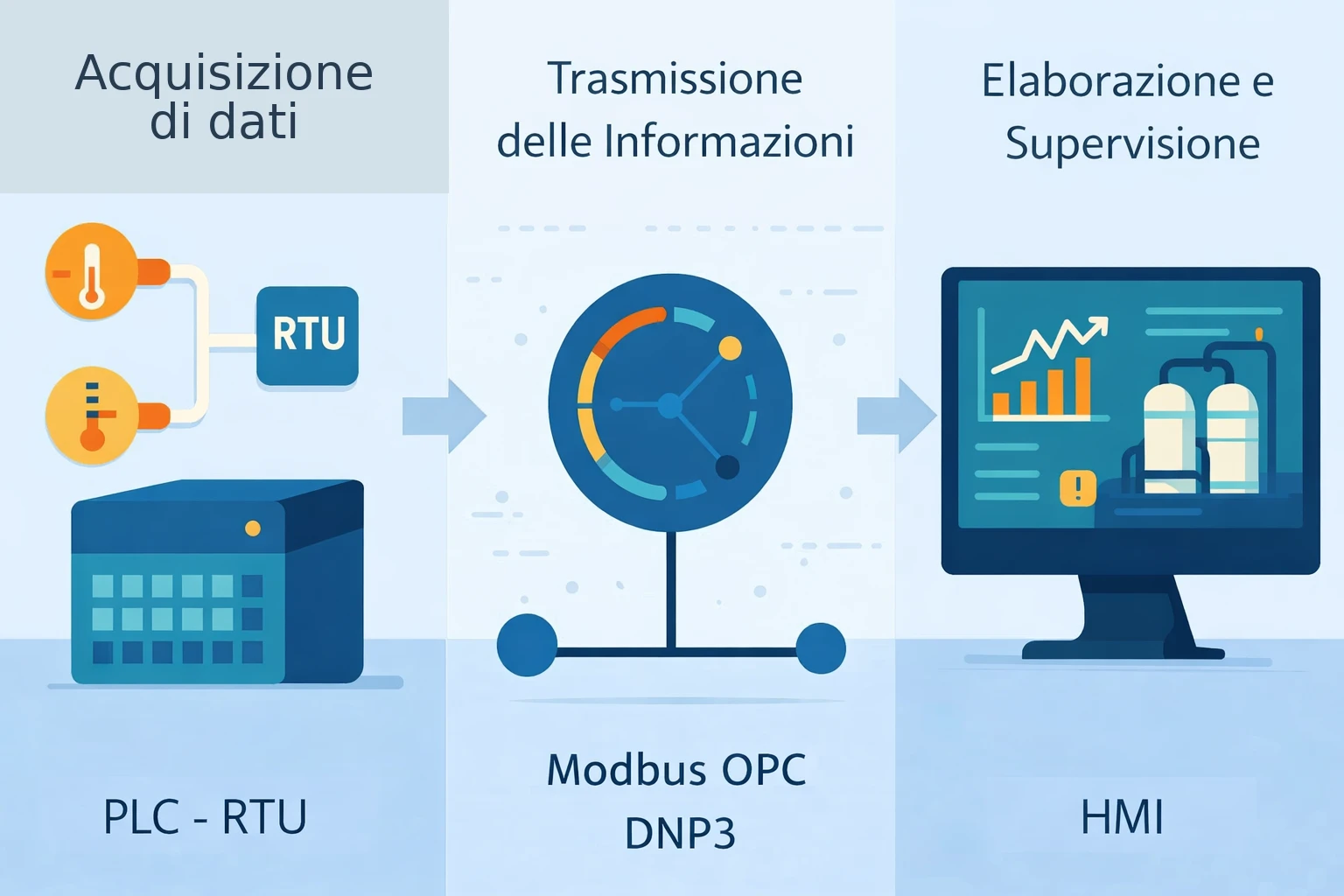
Before writing the first line of code, you need a clear picture of how a SCADA system is organised.
It is not a monolithic application: it is a set of layers with distinct responsibilities, each with its own patterns, technologies and reliability requirements.
To get a clear and immediate view of how a modern SCADA system is structured, read it this way:
| Layer | What it contains | Responsibility | Typical technologies |
|---|---|---|---|
| Field | Sensors, actuators | Physical signal collection | Industrial hardware |
| Control | PLC | Deterministic logic | Ladder, Structured Text |
| Supervisory | SCADA server | Aggregation and logic | C#, OPC-UA |
| Operative | HMI | Display and control | WPF, MVVM |
| Enterprise | Cloud, ERP | Analysis and integration | Azure, SAP |
Every layer in C# has a precise responsibility and must not encroach on the others.
The separation is not an architectural formality: it is a survival requirement for the project.
A SCADA where data acquisition logic is tangled with display logic becomes impossible to maintain within a few years.
Clean Architecture and MVVM are not optional in these contexts.
SCADA OPC-UA .NET: the industrial protocol that connects your software to PLCs
Among all the concepts in the SCADA world, OPC-UA is the most important one for a C# developer to understand.
It is the common language that allows your software to talk to PLCs regardless of who manufactured them.
OPC stands for OLE for Process Control, a standard born in the 1990s to resolve the chaos of proprietary protocols.
Before OPC, every PLC manufacturer had its own rules: a plant with Siemens, Allen-Bradley and Schneider PLCs required three different drivers, three separate integrations, three different maintenance tracks.
A nightmare.
OPC-UA (Unified Architecture), published in 2008 and now at version 1.05, is the modern successor.
Platform-independent, no longer tied to Windows and COM like the old OPC Classic, secure by default with TLS and X.509 certificate authentication, scalable from the smallest sensor up to cloud enterprise systems.
The OPC-UA model is client-server.
The PLC (or a software gateway installed close to the PLC) exposes an OPC-UA server with a browsable address space: a tree structure of nodes, each with a unique NodeId, a value, a quality and a timestamp.
The SCADA software written in C# is the client that connects, browses the address space, reads values and receives real-time notifications when they change.
A fundamental detail: every OPC-UA value has three properties beyond the raw data: the numeric or boolean value, the quality (Good, Bad, Uncertain) and the timestamp.
In an industrial context, data with uncertain quality or a timestamp thirty seconds old is potentially dangerous: it can lead to wrong decisions.
Ignoring quality and timestamp is one of the most common mistakes in SCADA systems written by developers coming from web backgrounds.
Beyond OPC-UA, there are other protocols in the industrial world that a SCADA developer needs to know at least at a conceptual level.
The main industrial protocols differ by use case, complexity and operational context:
| Protocol | Where it is used | Strengths | Limitations |
|---|---|---|---|
| OPC-UA | Modern standard | Secure, interoperable | More complex |
| Modbus | Simple plants | Extremely widespread | No security |
| DNP3 | Utilities | Reliable over long distances | Rarely used elsewhere |
| MQTT | IoT / Cloud | Lightweight, asynchronous | Not native SCADA |
| Profinet | Siemens industry | High performance | Vendor-specific |
For .NET, the reference library for OPC-UA is the OPC Foundation .NET Standard, available on NuGet as OPCFoundation.NetStandard.Opc.Ua.
It is the official open source library, compatible with .NET 6 and later, maintained by the same OPC Foundation that manages the standard.
Those coming from Siemens environments know WinCC as the historic SCADA platform: C# programming with OPC-UA for WinCC Open Architecture (WinCC OA) follows the same principles described in this guide, with the addition of Siemens proprietary APIs that use the same client-server pattern.
How to read data from a PLC in C# with OPC-UA: the essential code
Theory has its place, but a developer truly learns when they see code.
Let us look at how to build an OPC-UA client in C# starting from the fundamental concepts, without hiding the real complexity but without getting lost in details either.
The NuGet package to install is OPCFoundation.NetStandard.Opc.Ua.Client.
It includes everything needed to create a complete client: connection, address space browsing, reading, writing and subscription management.
The flow of an OPC-UA connection in C# is always the same:
- Create and configure the ApplicationConfiguration with the application name, certificates and security policy
- Discover or specify the OPC-UA server endpoint (IP address and port, usually 4840)
- Create an authenticated Session with the server
- Read nodes synchronously or create a Subscription for real-time updates
                // OPC-UA client application configuration
                var config = new ApplicationConfiguration
                {
                    ApplicationName = "SCADA Client",
                    ApplicationType = ApplicationType.Client,
                    SecurityConfiguration = new SecurityConfiguration
                    {
                        AutoAcceptUntrustedCertificates = false,
                        AddAppCertToTrustedStore = true
                    },
                    TransportConfigurations = new TransportConfigurationCollection(),
                    TransportQuotas = new TransportQuotas { OperationTimeout = 15000 }
                };
                await config.Validate(ApplicationType.Client);

                // Connect to the OPC-UA server
                var endpoint = CoreClientUtils.SelectEndpoint("opc.tcp://192.168.1.100:4840", useSecurity: true);
                var session = await Session.Create(
                    config,
                    new ConfiguredEndpoint(null, endpoint),
                    false, "SCADA", 60000, null, null);

                // Subscription for real-time updates (recommended pattern)
                var subscription = new Subscription(session.DefaultSubscription)
                {
                    PublishingInterval = 1000
                };

                var monitoredItem = new MonitoredItem(subscription.DefaultItem)
                {
                    DisplayName = "Furnace 1 Temperature",
                    StartNodeId = "ns=2;i=1001"
                };
                monitoredItem.Notification += (item, args) =>
                {
                    var notification = (MonitoredItemNotification)args.NotificationValue;
                    var value = notification.Value;
                    // value.Value, value.StatusCode, value.SourceTimestamp
                };

                subscription.AddItem(monitoredItem);
                session.AddSubscription(subscription);
                subscription.Create();
The key point is the Subscription: rather than polling the server every second, you register to receive updates only when the value changes.
This reduces network traffic, takes load off the PLC and allows hundreds of tags to be managed with minimal performance impact.
In a production SCADA system, this code is only the core.
Around it you build a complete service (IOpcUaService) with automatic reconnection handling on network loss, a watchdog to detect an unresponsive server, structured logging of all connection state changes and thread-safety when accessing data read from multiple threads.
For those who want to experiment without a physical PLC, Prosys OPC UA Simulation Server is a free tool that creates an OPC-UA server with simulated tags.
It allows you to develop and test the C# client locally before connecting to a real plant.
A practical tip: never expose the OPC-UA session directly to the upper layers. Encapsulate it in a service with a clear interface that emits typed events or notifications.
Those who receive the data should not need to know it comes from OPC-UA: it could be Modbus, it could be a simulator, it could be a mock for unit tests.
The dependency is on the interface, not the implementation.
At this point one fundamental aspect is probably clear to you.
It is not enough to "make a connection work". You need to design something that holds up over time, under load, in production.
If you want to avoid the most common mistakes and see how this architecture is really built in real-world contexts, you can explore the PLC Programming Course, where these concepts are applied in a practical and structured way.
WPF HMI SCADA: building the operational screen that governs production
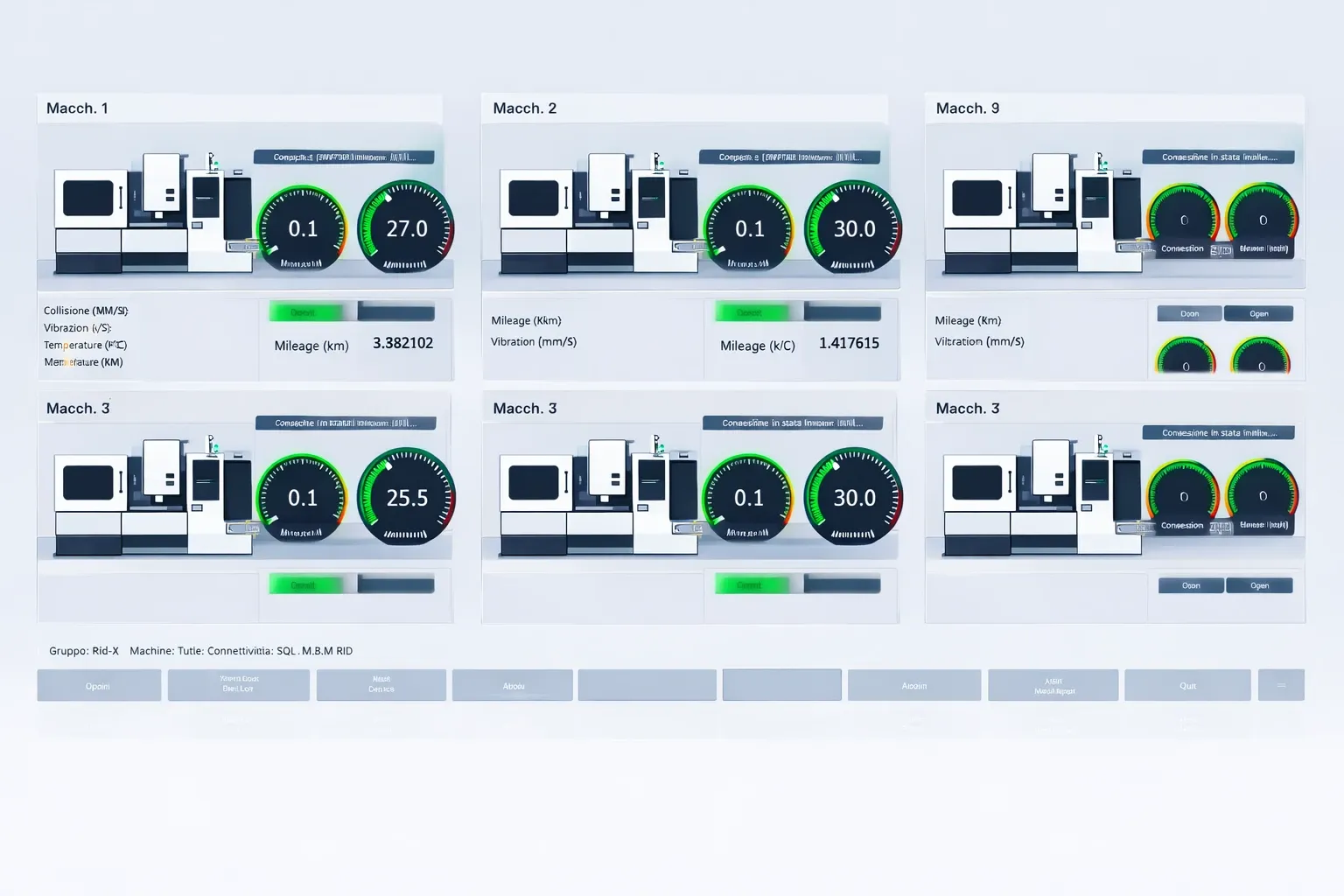
The HMI is the face of your SCADA system.
It is what an operator stares at for eight hours straight, day shifts, night shifts, weekends. It is what must communicate immediately and unambiguously when something goes wrong.
A poorly designed HMI is not just a usability problem: it is an operational risk. If operators do not understand the plant status, they make wrong decisions.
And wrong decisions on a production line have a very real cost.
WPF (Windows Presentation Foundation) remains today the de facto standard for SCADA HMIs on Windows, and for very good practical reasons.
Its data binding engine allows hundreds of interface elements to be updated in real time without redundant code.
It supports native vector graphics, essential for synoptic screens, which are graphical representations of plants where real values are overlaid on a schematic of the machine or line.
And the industrial component ecosystem for WPF, from rotary gauges to trend charts, has a maturity that other frameworks have not yet reached.
The reference architectural pattern is MVVM.
The ViewModel receives data from the OPC-UA service through events, implements INotifyPropertyChanged and updates properties bound to the View.
The XAML View declares bindings without any C# code in the code-behind.
This makes the HMI testable: you can write a ViewModel that uses simulated data and verify the interface behaviour without connecting anything.
A typical HMI screen includes several types of controls with specific requirements:
- Status indicators: ellipses or icons that change colour based on state (green for operational, red for alarm, grey for offline, yellow for maintenance). Colour must communicate everything without needing to read.
- Status indicators: ellipses or icons that change colour based on state (green for operational, red for alarm, grey for offline, yellow for maintenance). Colour must communicate everything without needing to read.
- Numeric displays: temperature, pressure, speed with clear visual update when the value changes. Often with progress bars showing the position within the operating range.
- Trend charts: time-based graphs showing a value's trend over the last N hours. For this, the ScottPlot and LiveCharts2 libraries are the most used: both on NuGet, both capable of handling thousands of points per second without visible degradation.
- Alarm panel: list of active alarms with severity level, timestamp and acknowledgement status. Must be always visible or reachable with a single click.
One often-underestimated aspect is operational safety in the HMI.
An operator must not be able to accidentally send commands to machines by touching the screen.
Interactive controls, such as start/stop buttons or set-point sliders, must require explicit confirmation, log the action in the audit trail with user and timestamp, and in some cases require PIN authentication before execution.
These are not courtesies: in many sectors they are regulatory requirements.
For environments requiring Android industrial terminals or workshop tablets, MAUI is the modern alternative to WPF.
As of 2026, the industrial component ecosystem for MAUI is less mature but growing.
A third emerging option is Blazor as a SCADA HMI: web interfaces hosted locally on an embedded Kestrel server, accessible from any browser without client installation.
Blazor does not yet reach WPF performance for synoptic screens with high update frequencies, but for supervisory dashboards and reporting it is a lightweight cross-device solution.
For new projects it is worth evaluating all three options based on the specific requirements of the plant.
I want to make senior-level decisions
Alarm management in a SCADA system: when machines start screaming
There is a well-documented phenomenon in the industrial world called an "alarm flood".
It happens when a plant goes into crisis and the operator faces hundreds of alarms firing in cascade within a matter of seconds.
They cannot identify the root cause.
It is not information overload. It is filter failure.Richard Saul Wurman - architect and information designer (1935 - present)
They cannot prioritise.
They act badly or do not act at all.
The consequences can range from plant damage to serious incidents.
An alarm flood is not an act of fate: it is the result of a poorly designed alarm system.
And designing a correct alarm system is one of the most demanding tasks in SCADA development.
The main normative reference is ISA-18.2 (Management of Alarm Systems for the Process Industries), which defines how to classify, manage and document alarms.
It is not pleasant reading, but it is the mandatory starting point for anyone working in regulated sectors such as pharmaceutical or food.
In C#, an alarm is an entity with a precise lifecycle. It is not enough to detect that a value has crossed a threshold: you need to manage the entire state machine.
- Active unacknowledged: the value has crossed the threshold, the operator has not yet acknowledged the alarm
- Active acknowledged: the operator has confirmed they have seen the alarm, but the condition is still present
- Cleared unacknowledged: the value has returned to normal but the operator has not closed the alarm
- Cleared acknowledged: full cycle, alarm closed
Every state transition must be persisted with the exact timestamp. Not just the activation, but the clearance and acknowledgement too.
These records are fundamental for post-incident analysis and for regulatory compliance.
Alarm hierarchy is equally critical. Not all alarms are equal.
An alarm requiring immediate plant shutdown has completely different requirements from a scheduled maintenance notice.
The standard levels are: informational, warning, alarm, critical.
Each level has different HMI behaviours (colours, sounds, flashing), different notification methods (visual only, email, SMS) and different escalation policies.
A quality indicator for the alarm system is the count of "nuisance alarms", alarms that fire frequently for normal conditions or poorly calibrated thresholds.
An operator who sees the same alarm a hundred times a day learns to ignore it. And the day that same alarm signals something truly critical, they miss it.
Monitoring alarm frequency is part of the work of anyone managing a serious SCADA system.
Storing industrial data: time-series, SQL Server and recommended patterns
A SCADA system does not collect data just to display it in real time.
It collects data to analyse it, compare it and use it to understand how the plant behaved over time.
When a motor starts showing abnormal temperature variations weeks before failing, historical data is the proof that the failure was avoidable.
When a shift's production is below average, historical data tells you where and when efficiency was lost.
The problem is volume.
A plant with 500 tags sampling at 1 Hz generates 43 million records per day. In a year, 15 billion records.
Not all plants sample that frequently, but this order of magnitude makes it clear why storage choice is not trivial.
Traditional relational databases are not optimal for this type of data.
SQL Server is excellent for transactional and relational data, but a table with 15 billion records queried with "hourly temperature average over the last 30 days" starts to struggle without careful architecture.
Time-series databases were created precisely to solve this problem.
Storage choice radically changes system performance. Here is a direct comparison:
| Database | When to use it | Advantages | Limitations |
|---|---|---|---|
| InfluxDB | Large volumes | Optimised for time-series | Non-SQL queries |
| TimescaleDB | SQL + time-series | Flexible | More complex setup |
| SQL Server | Microsoft ecosystem | Easy integration | Scales less well |
The correct write pattern is the data historian: a dedicated C# service that collects data from OPC-UA, buffers it in memory and writes it to storage in batches every N seconds.
Writing one record for every value change received in real time, potentially thousands per second, is unsustainable for any database. Batching is mandatory.
Separating acquisition, storage and presentation is the difference between a SCADA system that scales over time and one that collapses under the weight of its own data after a few months of production.
SCADA security: protecting critical infrastructure in the Industry 4.0 era
In 2010, a worm called Stuxnet infected and physically damaged centrifuges at a uranium enrichment plant in Iran. It was the first cyberattack to cause documented physical damage to an industrial infrastructure. It demonstrated that software, code written by someone on a keyboard, can destroy machinery worth millions of dollars.
From that moment on, industrial plant security is no longer just a technical matter. It has become geopolitical. And SCADA systems are at the centre of that conversation.
Critical infrastructure protected by SCADA systems includes water distribution networks, waste treatment plants, electrical grids and gas pipelines.
An attack on these systems is a matter of public order before it is a business problem.
And even without reaching extreme scenarios, industrial ransomware is on a constant rise: attackers know that stopping a production line creates immediate and concrete pressure to pay the ransom.
Security principles for a SCADA system developed in C#:
- Network segmentation: the OT network (Operational Technology, the one containing PLCs and SCADA systems) must be separated from the corporate IT network with a dedicated DMZ. Firewall rules must restrict traffic rigorously: data can flow from the field towards the cloud, not in the opposite direction without explicit authentication. An infected laptop on the corporate network must not be able to reach PLCs.
- Strong authentication: OPC-UA supports authentication with X.509 certificates and TLS encryption. Using them is not an option for those building modern SCADA systems. OPC-UA connections without authentication or with AutoAcceptUntrustedCertificates = true may be acceptable in a local development environment, but must never reach production.
- Principle of least privilege: a shift operator does not need access to system configuration. A maintenance technician does not need to see historical production data. Separating roles and restricting permissions accordingly is a simple but effective measure.
- Audit log: every action performed on the system must be traced. Who changed a set-point, when, with which account. Who acknowledged a critical alarm. Who executed an emergency manual start. These logs are fundamental both for security (detection of anomalous actions) and for regulatory compliance in sectors such as pharmaceutical (FDA 21 CFR Part 11) or food.
- Updates and patching: the historic problem of SCADA plants is that they are never updated for fear of disrupting production. The result is systems with known vulnerabilities years old. The solution is not to avoid updates: it is to have a staging environment that replicates the plant, test patches there, and apply them in production during a planned maintenance window.
SCADA and cloud: Azure IoT Hub, MQTT and the future of industrial automation

For years, connecting a SCADA plant to the Internet was considered an act of recklessness.
Industrial plants operated in total isolation, and any external connection was seen as an unacceptable risk.
That concern was partly justified: OT systems not designed for network connectivity, exposed directly to the Internet, are vulnerable.
But Industry 4.0 has changed the cost-benefit equation.
The value of bringing plant data to the cloud is concrete and measurable: predictive maintenance reduces unplanned downtime by 30 to 40 percent in plants that implement it correctly.
Comparing performance across different facilities allows inefficiencies to be identified that no production manager had ever seen before.
ERP integration allows production to be planned based on the actual state of machines, not on estimates.
The most widely used integration pattern is the industrial gateway: a C# application installed in the DMZ between the OT network and the Internet that reads data from OPC-UA and publishes it to the cloud via MQTT or AMQP.
The gateway is the controlled boundary between the closed OT world and the open cloud world.
Azure IoT Hub is the Microsoft reference service.
The gateway authenticates with IoT Hub via X.509 certificates, publishes telemetry messages in JSON format and receives bidirectional commands.
From IoT Hub, data is routed to Azure Stream Analytics for real-time processing, Azure Data Lake for long-term storage and Azure Machine Learning for predictive maintenance models.
                // Industrial gateway: publishing data to Azure IoT Hub
                var deviceClient = DeviceClient.CreateFromConnectionString(
                    connectionString, TransportType.Mqtt);

                // Create and send the telemetry message
                var telemetry = new
                {
                    DeviceId = "furnace-01",
                    Temperature = 87.3,
                    Pressure = 2.1,
                    Status = "Running",
                    Timestamp = DateTime.UtcNow
                };

                var messageBody = JsonSerializer.Serialize(telemetry);
                var message = new Message(Encoding.UTF8.GetBytes(messageBody))
                {
                    ContentType = "application/json",
                    ContentEncoding = "utf-8"
                };

                await deviceClient.SendEventAsync(message);
MQTT is the dominant communication protocol in this space. Lightweight, asynchronous, designed for intermittent connections and resource-constrained devices.
The MQTTnet library on NuGet is the reference implementation in C# and supports both client mode and broker mode for local testing.
The most interesting concept in SCADA-cloud integration is the Digital Twin: a virtual representation of the physical plant, updated in real time from SCADA data.
Azure Digital Twins allows you to model relationships between machines, lines and plants and run semantic queries such as "which machines in my facility have shown temperatures above threshold in the last two hours".
For companies with multiple facilities, the value is immediate.
The Edge Computing approach with Azure IoT Edge shifts part of the processing directly to the local gateway: data filtering, aggregation, local anomaly detection before sending to the cloud.
This reduces the bandwidth required and allows the system to continue operating even when Internet connectivity is temporarily lost, a fundamental requirement for critical plants.
At this point you should be starting to see the full picture.
We are not just talking about reading data from a PLC.
We are talking about transforming physical plants into intelligent systems capable of generating continuous value over time.
And this is precisely where the gap opens between those who write code and those who build solutions that companies actually pay for.
If you want to understand how to get into this kind of project without getting lost among technologies, protocols and trial and error, you can explore the PLC Programming Course, where all of this is connected in a practical and immediately applicable way.
C# OPC-UA: libraries and tools for building a professional SCADA system
One of the first questions a C# developer approaching the SCADA world asks is practical: where do I start, what do I install, what do I work with?
The answer is a concrete list of tools covering the main components of a modern SCADA system.
For OPC-UA communication, the reference library is OPCFoundation.NetStandard.Opc.Ua on NuGet.
It is the official open source library from the OPC Foundation, compatible with .NET 6 and later.
For those looking for a commercial alternative with enterprise support, the Unified Automation .NET SDK is the most widely used choice among system integrators.
For Modbus, the NModbus library (actively maintained fork: EasyModbus.NET) covers both the serial RTU variant and the TCP variant.
For the WPF HMI, beyond the standard WPF controls, the most used libraries in the SCADA world are:
- ScottPlot: open source library for high-performance charts. Handles millions of points without frame rate loss. Available for WPF, WinForms and Avalonia.
- LiveCharts2: charts with fluid animations and a modern style. Good MVVM binding support. Available on NuGet.
- Syncfusion WPF and DevExpress WPF: commercial suites with dedicated HMI components (rotary gauges, tank level indicators, flow diagrams). Paid licences but widely used in professional industrial settings.
For data storage, the official InfluxDB client for .NET is InfluxDB.Client on NuGet. For TimescaleDB, the driver is Npgsql, the same one used for PostgreSQL. For SQL Server, Microsoft.EntityFrameworkCore.SqlServer or Dapper for those who prefer direct SQL queries.
For Azure IoT integration, the Microsoft.Azure.Devices.Client package is the standard for the device (gateway) side, while Microsoft.Azure.Devices is for service-side device management. For standalone MQTT, MQTTnet is the most widely used library in C#.
For testing and simulation, Prosys OPC UA Simulation Server is free and allows you to create an OPC-UA server with hundreds of simulated tags. For HMI ViewModel unit tests, the pattern is an IDataService interface with a mock implementation that generates random data without any OPC-UA dependency.
Useful development tools: UA Expert is a free OPC-UA client that allows you to browse a server's address space, read values and verify node structure before writing any code.
Wireshark with the Modbus plugin allows you to analyse traffic between PLC and SCADA when troubleshooting communication issues.
Maintaining and updating a SCADA system: patterns for operational continuity
Building a SCADA prototype that works in a lab is relatively straightforward.
Building a system that runs 24 hours a day, 365 days a year, recovers from network outages without losing data, manages memory correctly for weeks without a restart, and can be updated without stopping production: that is the real work.
It is also the work that distinguishes a good developer from an industrial automation consultant capable of guaranteeing operational continuity on critical plants.
The first fundamental pattern is physical separation between acquisition and presentation.
All these patterns can be summarised operationally:
| Pattern | Problem it solves | Consequence if ignored |
|---|---|---|
| Service separation | UI crash | Data loss |
| Connection state | Stale data | Wrong decisions |
| Buffering | DB load | Unstable system |
| Graceful shutdown | Abrupt stop | Data corruption |
| External config | Rigidity | Maintenance costs |
The service that reads data from OPC-UA must be independent of the HMI.
If the HMI crashes (and it happens, an operator closing the wrong window on an industrial touchscreen is a classic scenario), data collection continues.
A Windows Service for acquisition, a separate WPF application for display, communication between the two via a local bus (named pipes, local gRPC, SignalR) or a shared database.
The second pattern is explicit management of connection states. An OPC-UA connection is not guaranteed: a PLC going into maintenance, a network cable coming loose, a switch rebooting.
The system must know at all times whether it is connected, disconnected or reconnecting, and communicate that to the operator.
A "stale" value displayed as current is worse than no value at all.
The third pattern is buffering and deferred writes for storage.
Never block the acquisition thread waiting for a database write confirmation.
Data is placed in an in-memory queue (Channel<T> in .NET is the modern pattern), a second thread drains the queue and writes in batches.
If the database is unavailable, the queue absorbs the burst. If the queue is full, the oldest data is discarded, not the most recent.
The fourth pattern is graceful shutdown.
A SCADA system cannot be killed with Ctrl+C like any console application.
On shutdown, it must drain the write queue, cleanly close OPC-UA subscriptions, write a shutdown record to the audit log and notify the HMI that data will no longer be updated.
CancellationToken and IAsyncDisposable are the .NET mechanisms to implement this correctly.
The fifth pattern is externalised configuration.
PLC IP addresses, tag NodeIds, alarm thresholds, sampling intervals: everything must be in configuration files or a database, not in the code.
A growing plant adds tags. PLCs are replaced and change address. Thresholds are recalibrated.
None of these operations should require a code rebuild and deploy.
SCADA training for C# developers: the practical path in the job market
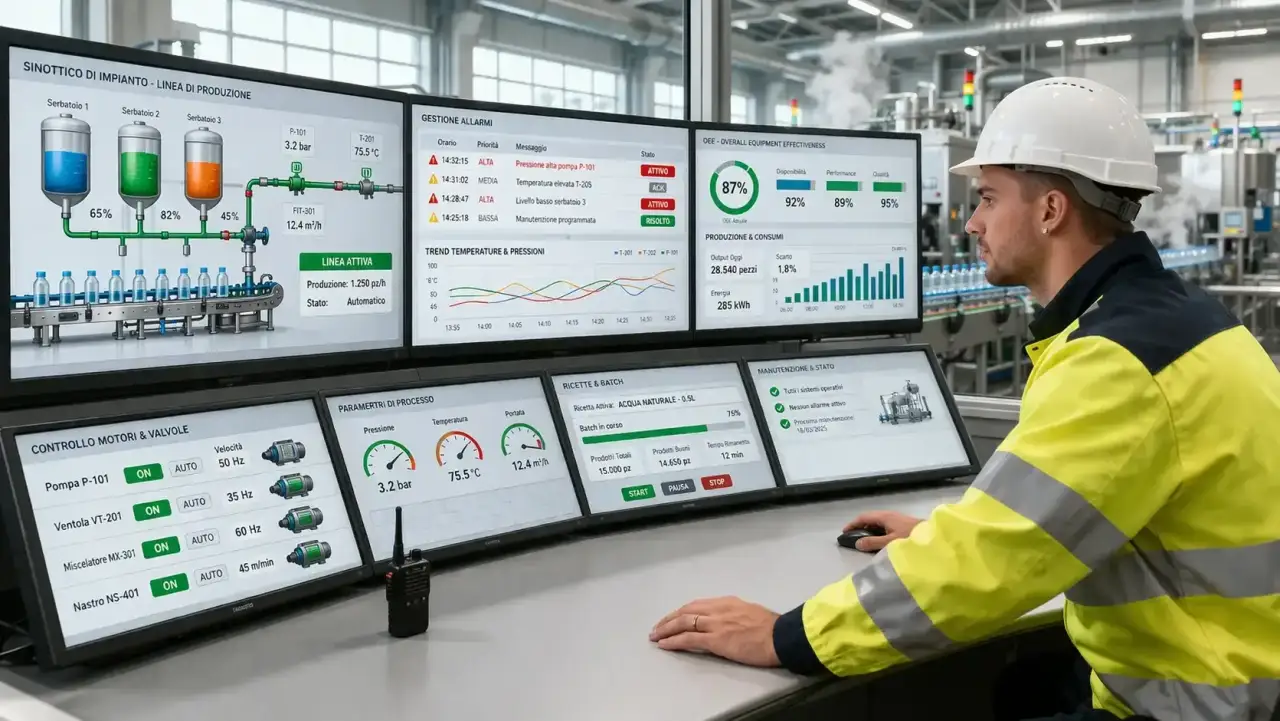
Let us start with a concrete fact: job postings for developers with SCADA and C# experience stay open for months.
Not weeks: months.
Industrial automation companies, system integrators building turnkey plants and large manufacturing groups are continuously looking for this profile.
And they find it with great difficulty.
The reason is simple: the standard training path for a developer includes none of this.
You learn C#, ASP.NET, REST APIs, maybe Azure. But industrial protocols, PLCs, OT architecture, alarm management according to ISA-18.2, WPF synoptic screens for real plants: no university course teaches these.
No tutorial covers them completely.
They are learned on the job, and that makes the profile even rarer.
Those coming from a C# background already have half the work done.
The foundational skills, understanding of software architecture, debugging, MVVM and Clean Architecture patterns, the ability to write maintainable code over time: all of these transfer directly.
What is missing is OT domain knowledge, and that can be acquired.
The practical path we recommend:
- The simulator. Download Prosys OPC UA Simulation Server and connect with a C# client using the OPC Foundation library. Read ten simulated tags and display them in a small WPF window. This first project gives you the basic structure.
- The mini-SCADA. Build an application that reads OPC-UA data, displays it in a WPF HMI with MVVM, manages three alarm types (low, high, critical) and saves history to a database. It does not need to look good: it needs to run correctly for hours without supervision.
- The terminology. Learn the OT vocabulary. Tag, historian, synoptic, set-point, PV (Process Value), SP (Set Point), MV (Manipulated Variable), control loop, scan cycle. When you talk to an automation manager you need to understand what they say without asking for explanations at every other sentence.
- The structured path. Fragmented self-learning has a high cost in terms of time. A training path, like our PLC Programming Course, that covers both .NET architecture for mission-critical applications and the fundamentals of the industrial world, compresses years of random learning into months of targeted training.
Salary offers in this sector start at levels significantly above traditional web development.
Not because the work is harder in absolute terms, but because the profile is rare. Supply is low, demand is high, and the market prices accordingly.
An idle industrial plant costs thousands of euros per hour.
Those who can build and maintain the software that keeps it running have a value that the market recognises. The question is not whether it is worth learning this craft.
The question is when to start.
Because in the end, it all comes down to that.
Not the technical difficulty, which you can learn. Not the tools, which will keep changing.
But the decision to enter a field where few have truly solid expertise, and where that expertise has a real impact, every single day.
You have seen what it means to work on systems that are not "just code".
You have seen what happens when something truly breaks.
You have seen how much value there is for those who can build, maintain and evolve these systems.
At this point you have two paths.
Keep doing what everyone else does, improving a little at a time, or start building a profile that the market is genuinely looking for and struggling to find.
If you want to take this step in a guided way, without wasting months on trial and error, scattered documentation and avoidable mistakes, you can start here and see how the PLC Programming Course is structured.
Not to "study something extra". But to start working on skills that carry real weight in the industrial world.
In a few minutes you can get a concrete idea of the path and see how it connects to your current situation.
If you want to go a step further, you can leave your details and talk with a tutor who will help you understand, without pressure, what the right next step for you is.
No commitment, just clarity.
Frequently asked questions
SCADA (Supervisory Control and Data Acquisition) is a software system that collects real-time data from sensors and PLCs installed on industrial plants, displays it to operators through graphical interfaces (HMI), and allows control commands to be sent. It is the supervisory software for factories, electrical grids, water treatment plants, and critical infrastructure.
.NET offers a mature ecosystem for long-lived applications (a SCADA plant lasts 10-20 years), native support for OPC-UA through the official OPC Foundation library, WPF for high-performance HMIs, and integration with Azure IoT Hub for Industry 4.0. It is also the choice of major commercial SCADA vendors like Inductive Automation (Ignition) for their plugin SDKs.
OPC-UA (OPC Unified Architecture) is the industrial standard protocol that allows software like a SCADA written in C# to communicate with PLCs from any manufacturer (Siemens, Allen-Bradley, Schneider, Omron) in a uniform way. It replaces old proprietary protocols with a secure, platform-independent and scalable interface. The official OPC Foundation .NET Standard library is available on NuGet.
SCADA data is stored in time-series databases optimized for high-frequency time series: InfluxDB is the most widespread in the IoT/SCADA world, TimescaleDB (a PostgreSQL extension) is ideal for teams familiar with SQL, and SQL Server with partitioning is the pragmatic choice for staying in the Microsoft ecosystem. The correct pattern is to buffer data in memory and write in batches, never single records per value change.
A SCADA HMI with WPF uses the MVVM pattern: the ViewModel receives data from the OPC-UA service through events or callbacks, implements INotifyPropertyChanged, and updates the properties bound to the View. For real-time charts, libraries like ScottPlot or LiveCharts2 are used. Interactive elements (machine commands) must have explicit confirmations and mandatory audit logs.
SCADA security relies on network segmentation (separating the OT network from the IT network with a DMZ), X.509 certificate authentication on OPC-UA, the principle of least privilege for users, audit logs of all actions, and a rigorous update and patching process tested in staging before applying to the live plant.
The standard pattern is an industrial gateway: a C# application installed in the DMZ reads data from OPC-UA and publishes it to Azure IoT Hub via MQTT or AMQP using the official Microsoft.Azure.Devices.Client SDK. From IoT Hub, data reaches Azure Stream Analytics for real-time processing, Azure Data Lake for storage, and Azure Machine Learning for predictive maintenance.
Leave your details in the form below