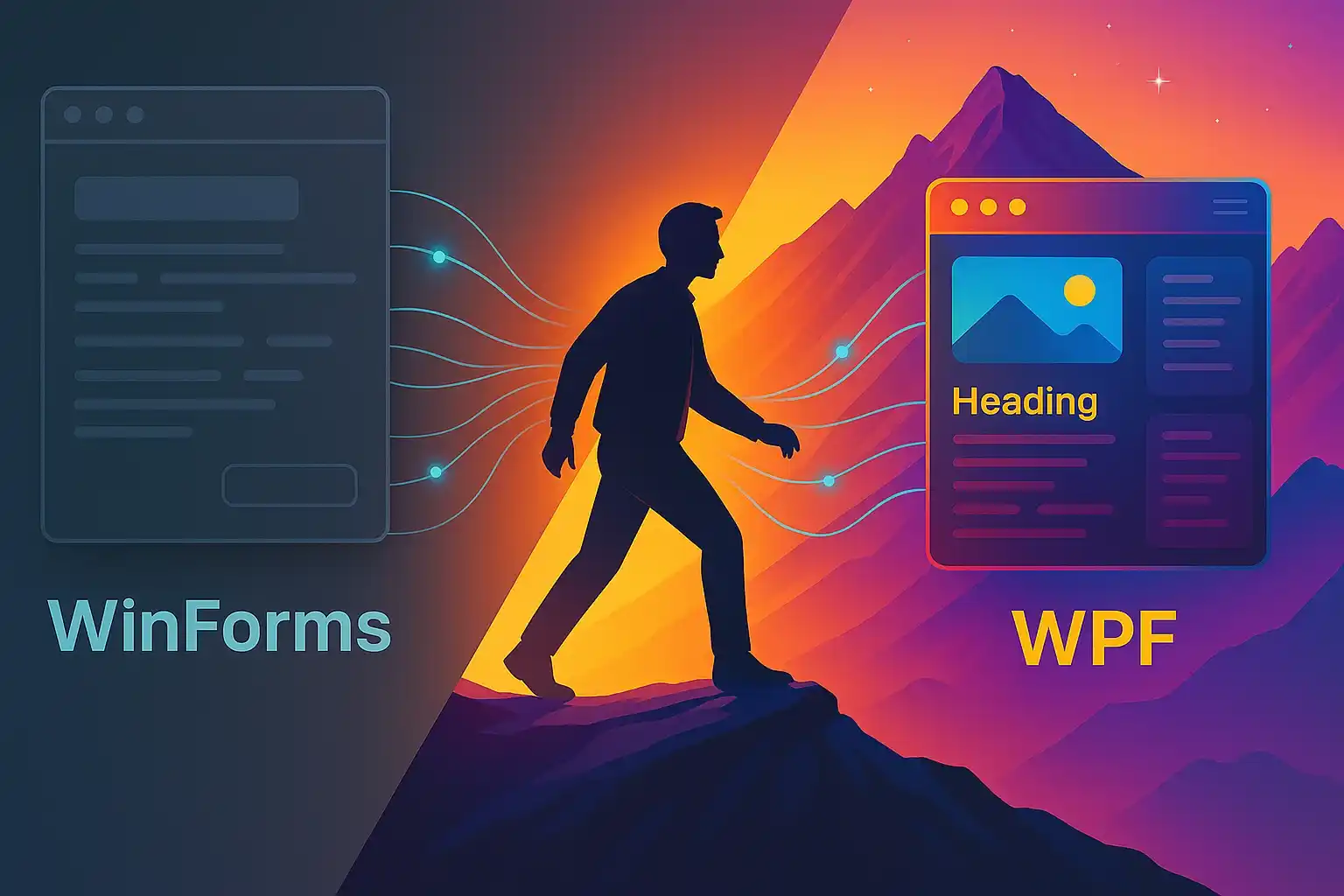

Maybe you've been through it too, perhaps starting from some tutorial found here and there, with a rough window and two buttons placed there to try, while a strange but powerful sensation pushed you to ask yourself "ok, but how do you really make a UI done well?".
Because, when you start writing software you realize very quickly that logic, however fundamental and fascinating it is, represents only half of the work, while the other half, equally important, is making what you have built used well, making it understood, making it live and feel truly useful for those who will use it.
It's no longer enough to say that "it works", because people expect much more, they want something that accompanies them, reassures them, makes them live an experience that has meaning, rhythm, beauty and a simplicity that hides complexity managed with care and vision.
And you know it and perceive it perfectly, every time you look at a well-made interface or get carried away by an elegant UX.
Except that every time you try to approach an ecosystem like WPF you it all seems too much, too structured, too rigid, too far from what you have known until now.
So you go back to taking refuge in WinForms, which you already know and seems more manageable, or you throw yourself into the world of web frameworks, deluding yourself that everything will be easier and faster, only to then find yourself with your inner voice that continues to tell you that that leap, the real one, is right there waiting for you just a few steps away.
If you feel this kind of pull, know that you are in the right place, because you're not the only one who has these feelings and because there really is a way to approach WPF without getting lost, without feeling out of place and without having to give up everything at the first mistake or complication.
Get ready: I'm about to tell you everything about this journey, step by step, as I would with a friend.
No obscure terms or turns of phrase, just clear and concrete explanations for those who, like you, want to learn seriously without getting lost in complications.
This trip is structured to offer you practical skillsand the satisfaction of seeing your progress materialize.
Are you ready to get started?
What is WPF and why it is still the heart of desktop development in .NET

The WPF technology (Windows Presentation Foundation) is not at all a museum technology, as some might superficially or prejudicely suggest, because it is still a living, stable, powerful platform used daily in very demanding professional contexts.
It's still the number one choice for those who design and develop modern desktop interfaces within enterprise environments, not only for technical reasons, but above all because it concretely solves real problems related to the complexity, scalability and quality of the user experience in applications.
If you have even touched the world of WinForms, you know very well how tiring and limiting development can seem, with interfaces that seem hastily assembled, rigid controls and code that inevitably ends up mixing with the UI, making any attempt at serious structuring difficult.
With WPF, however, everything changes, because it is designed to be modular, separate, elegant and flexible, so much so that you can radically change the graphic appearance of your application without touching a single line of the underlying logic, creating reusable components and managing hundreds of interactions in an orderly manner.
The truly remarkable thing is that all of this is possible because WPF it was designed for professional developers, not for beginners, offering the tools needed to create complex, quality industrial applications.
Yes, it has a more challenging learning curve and requires good planning, but that's exactly why allows you to create more sophisticated interfaces and easy to maintain over time, giving you a level of control and satisfaction that no other desktop technology can match.
What makes a UI made with WPF superior to one with WinForms
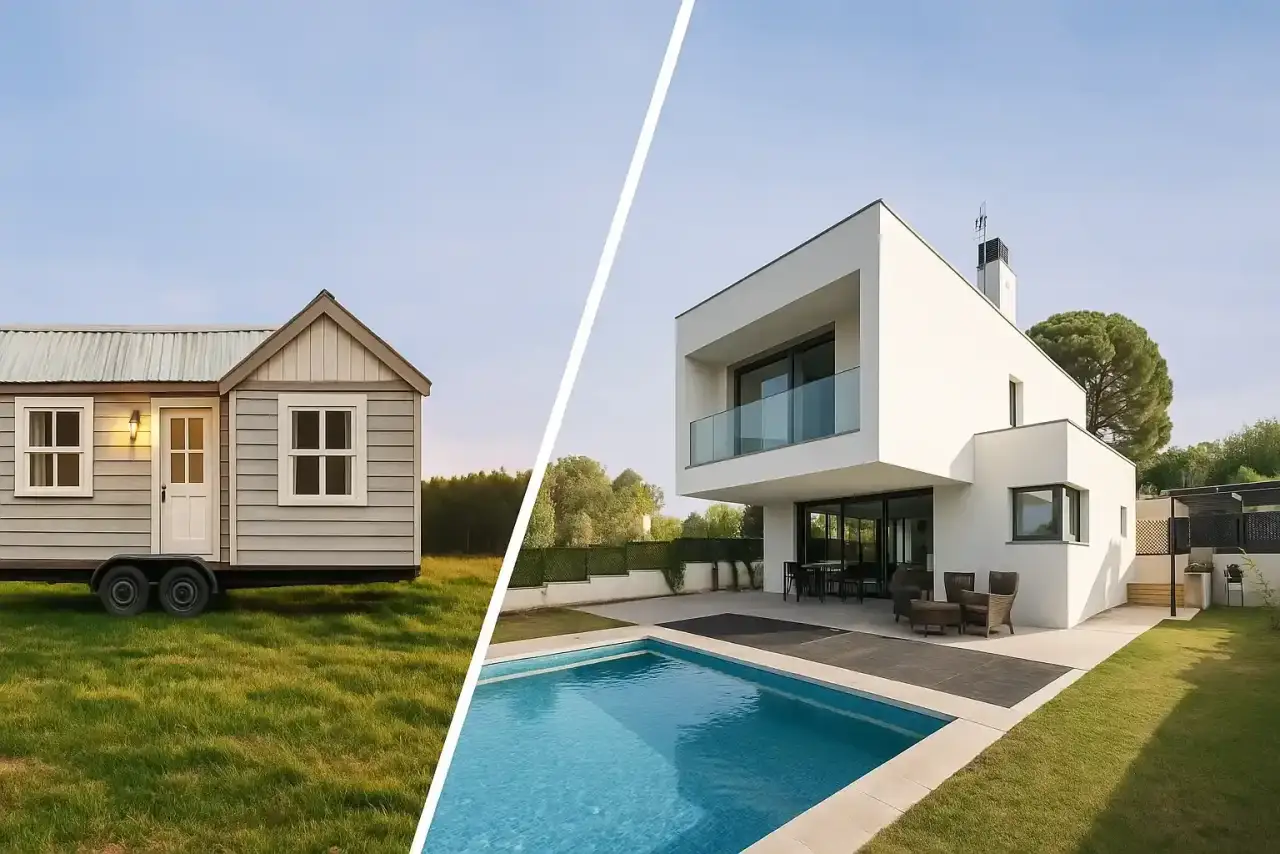
Try to imagine the difference between a prefabricated house, perhaps quick to assemble but limited in possibilities, and a custom-designed one, where every detail reflects your needs and can grow with you over time.
WinForms is the prefab: it works, but it forces you to stay within rigid boundaries that prevent you from really building something great, while WPF is custom design, more demanding but also much more powerful.
The real revolution is that you are no longer forced to adapt to technology, because with WPF you establish the appearance of your interface, the internal structure and the logic that governs it, without forced compromises.
You can design reusable components, define custom templates, apply consistent styles, insert elegant animations and reason with clean logic based on ViewModels well separated from the UI.
Anything in WinForms that would require improvised solutions or external tools, in WPF it is already foreseen and integrated, because it was born with the idea of giving you total control without having to resort to shortcuts or temporary remedies.
Furthermore, the separation of responsibilities in WPF is not only a good practice, but a structural principle that guides the development and Desktop UI composition: the interface must be just interface and the logic must remain completely separate.
This approach pays off your most elegant software, more readable and much easier to maintain over time, especially when projects grow and order is needed to scale them without losing control.
If you really want to build usable, modern and solid interfaces, you have to have the courage to leave WinForms behind, like when you stop writing with a broken pen and finally discover how good it is to do it again.
How XAML works and why it makes your life easier in UI development

The XAML tutorials can help you a lot: XAML can initially inspire a bit of fear, because, at first glance, it seems like an indecipherable intersection between HTML, XML and something totally alien, difficult to frame if you come from a more imperative approach.
Then, one day, something unexpected happens: you write a control, apply a style to it, change a color and suddenly the interface comes to life before your eyes, revealing a logic that until yesterday seemed hidden.
XAML is the language with which you declare your interface, you don't build it line by line as if it were procedural code, but you describe it like an architect who designs the space before even thinking about the functional details.
If you want a button, write a tag, if you want it to change color on mouse hover, add a trigger, and if you want everything to follow a consistent style, define a resource dictionary that centralizes the look of the entire UI.
It's not just a question of syntax or structure, it's a different way of thinking about the UI, cleaner, more modular and above all much more visual, because it allows you to see the result while you give shape to your idea.
And the real magic is released when you start using binding, because from that moment every component of your UI can respond to data changes in real time, without redundant events or duplicate code to manage.
In a sense, XAML is the direct bridge between your thinking and the interface, a tool that allows you to transform intuition into visible form without having to go through too many confusing intermediate steps.
You don't need to be a designer to use XAML, you don't need to have an innate graphic talent, you just need to trust the process, immerse yourself in the language and be surprised how powerful it can be in its apparent simplicity.
The first project you should do to really understand how WPF works

There is one project that completely changed the way I looked at WPF and it was something as simple as it was powerful in its essence: a to-do list, an app that seems trivial but actually teaches you everything that really matters.
It's true, on the surface it may seem like a scholastic exercise, but if you build it carefully, with a real architecture and with the functionality in the right place, you'll discover that it's the best starting point for learning WPF.
Because it's not just about adding and removing items from a visual list, but about address the fundamental building blocks one by one on which you build a truly modern and well-designed desktop application.
Here are the key concepts that this simple app allows you to master:
- Manage the DataContext: Teaches you to connect the UI to the ViewModel cleanly, so each control knows where to get data and how to react to changes without confusion.
- Write a ViewModel with observable properties: forces you to use INotifyPropertyChanged; then, understand how to notify changes in real time and keep the UI in sync at all times.
- Making two-way bindings: Discover how powerful it is to connect UI and logic in both directions, so every change is reflected instantly, without having to write duplicate code.
- Add commands: teaches you to separate actions from the graphical interface using ICommand, avoiding inserting instructions that respond to clicks directly into the UI code.This approach allows you to build an application with reusable components.
- Create a consistent style for buttons and lists: You learn to design a clean, personalized interface, defining reusable styles that improve the visual coherence of the entire app.
- Animate the changes: Shows you how to bring the interface to life, making every interaction more fluid and pleasant, without resorting to complex or unstable solutions.
In that small application every detail forces you to learn, because you cannot ignore anything or move on: you have to stop, understand, plan and build with awareness.
And when you get to the end, you realize that something inside you has changed, because you no longer feel like an uncertain beginner, but you feel like someone who made WPF work with your own hands.
The beauty?
You can redo that project a hundred times, each time improving it, because WPF always offers you one more level to explore, a more elegant solution to experiment with, one more detail to master.
Until a moment ago you thought it was enough to do, but now you're starting to understand a fundamental truth: you need to know what you're doing, and why.
It's about imagining, deciding and organizing, not just writing code.
And this is where the journey changes tone: we move from simple construction to real planning.
Ready to discover the structure that gives meaning to all this?
MVVM made simple even if you're starting from scratch

I know what you're thinking: MVVM seems like one of those acronyms designed more to confuse than to help, because behind those three letters hide conceptual blocks, divisions of responsibility and a learning curve that isn't immediate.
Three letters, three blocks, three different responsibilities that at first make you question why they exist and whether they really make sense, but if you look closely you realize that MVVM is not an obstacle, is a real map for building with order.
MVVM stands for Model, View, and ViewModel: three distinct roles, three clear functions, and three well-defined boundaries that, when respected, make your code more understandable, robust, and easier to maintain, even in the most complex projects.
Let's see in detail the three fundamental components of this pattern:
- Model: the truth.It contains your data and business logic, and is the core that governs the actual behavior of your application.
- View: the stage.It represents what the user sees and interacts with, but does not know the logic or deal with internal behavior.
- ViewModel: the director.It connects the two worlds, Model and View, orchestrating data and interactions without ever getting confused with the role of the interface or the data.
At the beginning you'll feel like you're writing way more code than you need to, and it will be natural for you to wonder if it wasn't easier to do everything in the View, as you were used to doing with WinForms, where the shortcuts seemed more immediate.
Yes, of course you could do it that way, but the real question is: at what cost? Because that type of approach then forces you to rewrite, reorganize and fix mistakes every time the project grows or becomes more complicated.
The ViewModel it allows you to write reusable code, organized and easily testable, meaning you can work as a team without stepping on each other's toes, and scale your software without having to tear it apart from scratch.
It's normal that all this seems complicated to you the first few times, I too had the feeling of being inside a cage, but then I realized that it was precisely that structure that gave me the freedom I was looking for to express myself with control.
How to connect your UI to data in an elegant and maintainable way

Here the part that everyone initially fears comes into play, the part that seems too abstract or magical, but which, once it really happens, makes you feel as if I had discovered a superpower hidden inside WPF logic.
In WPF you don't have to write lines and lines of code to manually update a label or value every time something changes, because you no longer have to deal with manual, fragile events, notifications, or synchronizations.
With binding you directly connect the property of an object to a graphic control and you don't have to do anything else, because everything else, from automatic updating to visual consistency, is handled by WPF natively.
But binding is not just a convenience or a time saver: it is a mental change that forces you to think better, in a cleaner and more structured way, leading you to design interfaces that live in symbiosis with logic.
Here's what taking this approach actually entails:
- Think in an orderly way: you need to start organizing the data clearly, decide what the ViewModel exposes and what is shown, avoiding clutter or shortcuts.
- Use observable properties: only in this way are data changes automatically reflected on the UI, because binding requires objects that communicate each change in real time.
- Respect the direction of the data: you understand that the flow must be managed, that there are one-way or two-way bindings, and you learn to choose the right type based on the scenario.
And that's exactly when you start writing code that not only works, but remains elegant, stable and maintainable even after weeks or months, because you've separated the roles well and cleaned up the logic.
Your interface it ceases to be a fragile part and cumbersome of the project and finally becomes something flexible, reactive and independent, ready to adapt to changes without breaking anything.
And at that point you realize how powerful binding is, because it finally allows you to modify the logic without touching the UI and to change the UI without having to touch even a single line of the logic.
Once binding enters your way of thinking, you can't do without it anymore, because it's like moving from a bike without brakes to one with an automatic gearbox: everything becomes smoother, safer and infinitely more pleasant to ride.
Styles, templates and animations: how to create striking interfaces

There always comes that moment when you feel that you have to go further, because even if the logic works and everything seems fine, you realize that something is missing, something that makes the interface more alive, more human, less cold and less technical.
It appears bare, too essential, incapable of communicating an identity or an emotion, and it is precisely at that moment that WPF pulls out its ace in the hole, putting styles, templates and animations in your hands.
With styles you can finally give visual coherence to the entire app, avoiding rewriting formatting everywhere, because you just need to define a style for labels, buttons or inputs once and apply it everywhere to obtain unity.
Templates take you even further because, if you want a button to have a completely different look, you can create a custom ControlTemplate that profoundly changes the aesthetics, while keeping the functionality unchanged.
Then there are the animations, light, fluid, perhaps just a fade or a transition, which not only serve to create a scene but to give feedback, to guide the user, to make each interaction clearer, more intuitive and natural.
Knowing how to use these tools doesn't turn you into a designer, but gives you that extra touch which distinguishes a professional app from one created hastily, without attention to detail, without a real visual identity.
It's like furnishing a house: of course you can live there even with mismatched and randomly placed furniture, but when every object is in the right place and everything communicates harmony, the difference can be felt, and indeed it can be felt.
The skills you really need to work in a team on WPF

Do you know what the real difference is between a developer who knows WPF and one who really knows how to work in a dedicated team?
It's not just code, but it's a much deeper issue than that It's about mentality with which you tackle the project.
When you work in a shared context, it is not enough that your code works, because something more is needed: it needs to be readable, maintainable and reusable by those who come after you or by those who are working on it together with you.
You must know how to recognize the right time to create a new ViewModel and when it is more appropriate to extend an existing one, because knowing the conventions and following the common style of the team is part of the job.
It also helps respect for shared architecture, the ability to work on centralized styles and the attention to not breaking the balance that others before you have built and that the team expects you to maintain.
Those who work with WPF in corporate environments often use consolidated patterns, adopt open source libraries such as MVVM Toolkit and think in modular and reusable components, because it's not improvisation but real planning.
And then there are the soft skills, which should never be underestimated, such as knowing how to write code that not only speaks to yourself but to the team, avoiding shortcuts that betray the pattern or solutions that make you unpredictable.
Technical skills are just the basis, the starting point, but what it really makes a difference in a professional context it is the ability to write code that does not need to be explained to be understood.
Because in a WPF team, either you contribute to creating value for everyone with your clean, coherent and architecturally respectful code, or you inevitably end up generating chaos, even without wanting to.
What's stopping you and what you need to learn WPF in the shortest time possible

Usually, what really blocks those who are starting out with WPF is not the technical complexity of the framework, but that paralyzing feeling of disorientation, the fear of making mistakes and the constant doubt about where to start.
You have obstacles in front of you that you know you have to overcome, but you completely miss the map, so you end up going around the base in circles, hoping that somewhere there is a shortcut that can save you the trouble.
To break free from that deadlock, you need three very specific things, three elements that, when combined, totally change the way you approach learning WPF and help you overcome initial insecurity, and they are:
- A guided tour, which explains each concept with concrete examples and without useless abstractions, just practical and applicable explanations that will make you immediately see how what you are studying really works.
- A real project, which forces you to put your hands in the code, not just read, because reading alone is not enough, you need a living context where you can try, make mistakes, correct and see the result in real time.
- A change of attitude, from "I want to understand everything first" to "I want to try, make mistakes and understand as I go", because real learning doesn't come from perfect theory, but from action, from mistakes and from the courage to continue even if you don't have all the answers.
WPF can't be learned just by reading articles or watching tutorials: it starts from WPF course and from the controls of WPF Grid and StackPanel layouts, writing code, making wrong layouts, rewriting logic and discovering for ourselves what it means to build something concrete and functional.
And if on this journey you have someone who accompanies you with real experience, without judging and without complicating things, then the time you save and the trust you gain become an enormous advantage.
If you are waiting for the right time to start, know that it will never come by itself, because the right time is not when you feel ready, but when you choose to start even if you don't feel up to it yet.
The course that takes you step by step to a complete desktop app

This is where the most concrete part comes into play, the one that really makes the difference between knowing that WPF is powerful and knowing how to use it confidently to build something that makes professional and lasting sense.
I'm not talking about the usual theoretical course with disconnected examples and fake demos that you will never use, but about a path designed for those who are starting from scratch and really want to learn how to build a serious desktop application.
A course that accompanies you step by step, which anticipates the doubts you will have, which doesn't leave you alone in the face of errors, and which above all lets you get your hands on the code in a guided way, without unnecessary shortcuts.
In this course you learn:
- Structure a modern desktop app: You learn to think like a software architect, not just a function executor
- Really understanding MVVM and when to use it (or avoid it): because maturity also lies in knowing when there is no need to complicate
- Write readable, clean, reusable XAML: We teach you to create interfaces that others can easily understand and maintain
- Test your ViewModels in an elegant way: it's not an optional, it's what makes your code reliable over time
- Design professional animations, styles and templates: Your UI will not only be beautiful to look at, but coherent, effective and carefully designed.
And above all: build a real application, step by step, not a “hello world”, but something you could actually deliver, use, display with pride.
If you feel like this is the time to get serious, then don't waste any more time.
WPF may seem like a mountain, but with the right guidance it becomes an uphill climb that changes the way you think, plan, program.
You've read this far, and this means that you already have everything you need to get started: the determination to get serious and the awareness that following random tutorials isn't enough to become really good.
You're not late: you're just waiting for the right guidance, and this is the perfect time to finally make that leap you keep putting off.
Stop copying code without understanding it and no more improvised interfaces that look like they came out twenty years ago: it's time to create a desktop app that truly represents you, that functions solidly and impresses with style, care and professionalism.
In our course you learn to write clear, testable and reusable code, building a real project with MVVM, XAML and professional animations, while we accompany you step by step, anticipating doubts, correcting errors and helping you think like a real developer.
The right moment doesn't come by itself: you decide it.
You need a solid foundation to build software that lasts.
With WPF and MVVM you learn to design real, scalable, maintainable interfaces; code that communicates, that integrates, that grows with you, not just code that works.
It's time to stop improvising and start thinking like a professional developer.
Those who master WPF today do not follow trends: builds value where others chase ephemeral novelties.
If you want concrete, practical and strategic guidance, this is the path you need.
Not to learn everything, but to learn what really matters.
Becoming a professional is not a matter of time; it's a matter of choices.
Start now.
Leave your details in the form below