C# for teams that want readable code, sensible performance, and less toxic maintenance
This category treats C# as a professional tool, not as syntax to memorize: code design, best practices, performance trade offs, common mistakes, and decisions that save time over the life of the system.
C# is not just syntax: it is a way of thinking about software
Someone who learns C# from the manual learns syntax.
Someone who uses it in production for years learns something different: how the language shapes thinking, how its conventions guide you toward more readable solutions, how its modern features change the way you design code.
C# is not static.
Each version introduces constructs that reduce syntactic noise and make the intent of the code more explicit.
Records, pattern matching, nullable reference types, init-only setters, primary constructors: these are not syntactic sugar.
They are tools that, used consciously, produce code that is harder to misuse and easier to read months later.
What interests me about C# is not formal correctness.
It is economic readability: code that a colleague understands without explanations, that a maintainer can modify without fear, that a reviewer can evaluate without additional context.
This is the real value of professional use of the language.
Modern C# features: when to actually use them and when to resist
C# 10, 11, 12, and 13 introduced many features that seem convenient but require judgment to use well.
The opposite risk to ignoring them is using all of them because you can, transforming code into a style exercise that only someone who knows the latest version of the language can read.
Pattern matching: excellent for replacing chains of if/else on types and values. Can become unreadable when excessively nested. The criterion is: if pattern matching makes the intent clearer, use it; if you need a comment to explain it, it is probably too complex.
Records: perfect for DTOs, value objects, and immutable data. Not suitable for entities with mutable state and complex lifecycle. The practical rule: if the class has only properties and no mutable domain logic, it is a record.
Nullable reference types: one of the most impactful features in recent years. Enabling <Nullable>enable</Nullable> in a new project costs little and prevents an entire class of runtime bugs. In existing projects it requires gradual migration, but the investment is worth it.
LINQ: powerful and readable for transformations on sequences. Can become a performance bottleneck if used on large collections without awareness of what it generates in terms of allocations and iterations.
Performance in C#: when to optimize and when to stop
The golden rule on performance is to measure it before optimizing.
Many developers optimize by intuition, often in the wrong place, and the result is more complex code with no measurable gain.
The tools available in .NET for performance are excellent: BenchmarkDotNet for measuring, dotnet-trace and dotMemory for profiling, Span and Memory for reducing allocations in hot paths.
The problem is not a lack of tools: it is knowing when to use them.
The cases where C# performance genuinely matters are: processing large data volumes, high-concurrency services, algorithms running millions of times per second, real-time systems.
In these cases Span, ArrayPool, stackalloc, and reduced heap allocations produce concrete improvements.
In all other cases, readability is worth more than premature optimization.
Clear code that the team understands and can change is always preferable to fast code that nobody wants to touch.
Async/await and concurrency: the patterns that make the difference
Async/await is one of the most powerful and most misused features of C#.
The syntax is simple; the operational details are not.
The most common errors I see in code reviews: async void in methods that are not event handlers (causes uncatchable exceptions), .Result or .Wait() on Tasks in synchronous contexts (causes deadlocks in non-Core ASP.NET), forgetting ConfigureAwait(false) in libraries (causes context starvation), creating Tasks unnecessarily with Task.Run in ASP.NET Core where threading is already managed by the framework.
Parallel concurrency with Task.WhenAll and Parallel.ForEachAsync requires attention to race conditions on shared data and handling of partial errors.
It is not difficult, but it requires a clear mental model of what happens on which thread and in what order.
The point is not to memorize the rules: it is to understand why those rules exist.
Someone who understands the thread pool, the synchronization context, and how the compiler operates on async state machines does not need to memorize anything: they reason and find the solution.
Analyses, cases, and articles for using C# professionally
23 articles found

C# or Java? The right choice is not technical but strategic. This is why the future speaks .NET
C# vs Java: which language offers more opportunities for modern, sustainable applications over time.
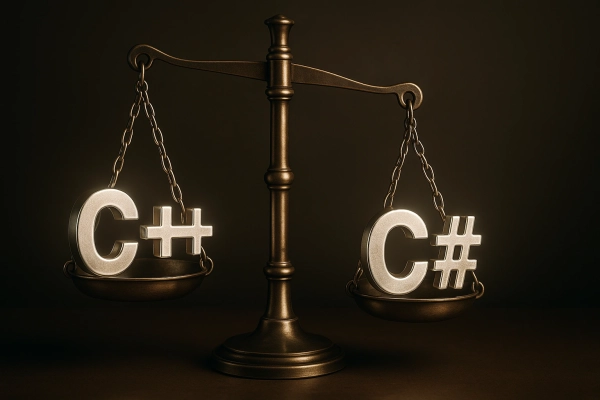
What changes between C# and C++: which one to choose to start programming
Learn the differences between C# and C++ and why choosing C# helps you work faster, avoid unnecessary errors, and build a solid foundation.

Find out why combinatorial and sequential logic are the key to every successful system
Combinatorial and sequential logic clearly explained with real examples applied to PLCs and industrial plants.

Interfaces and abstract classes in C#: how to survive broken code
Learn how interfaces and abstract classes in C# can help you write code that is stable, reusable, and ready to withstand any changes.

From code to testing: raise the quality of your PLC software for industrial automation
Test and prove PLC software with structured methods. Reliable and unforeseen automation even in the most complex industrial systems.

What can you do with C#? Eliminate waste, errors and hours of useless work
Discover what you can do with C# and why learning it can transform your career, from desktop apps to high-impact enterprise tools

If you want to learn to program, start like everyone else. If you want to become a developer, choose C#
Find out why C# is the smarter, more underrated choice between Python and Java, and how it can help you build a strong, self-driven career
How hard is C#? The answer you don't expect
How hard is C#? It is only for those who approach it the wrong way. Find out how to learn it with a concrete and professional approach.

What are the PLC languages? We explain it to you to make you go further
Find out which PLC languages really matter and what it takes to choose modern, reliable and suitable solutions for industrial work.

Programming languages of the future: think likeof the future: only those who know how to choose today will be free to create tomorrow
Discover the programming languages of the future that only those who think like architects can choose. Build solid skills and master your path

Learning C#: How Long Does It Really Take to Become a Serious C# Developer - The Honest Guide
Learning C# is easy; making it work for you is another story. Explore the method to really get started and turn code into opportunity.

What is the most used programming language? Find out. And then choose the one that builds systems, not just statistics
The most used programming language and why C# is the choice for those who build complex software architecturally.

PLC programming: how it works and why it is the heart of industrial automation
Find out what PLC programming is, which software to use and why today those who master automation and industrial logic find concrete opportunities.

C# for PLC: the combination that is transforming the industry
C# for PLC is transforming industrial automation. Find out how to use it to get an edge in software development

Tired of every banal and boring C# book that makes promises it doesn't keep? No useless theory, just real skills to master C#
The C# book that takes you from zero to mastery. No useless theory, just practical C# skills to dominate the job market.

.NET Course: Develop advanced skills and transform your career
Find out how to seize the opportunity to create extraordinary solutions by taking the best .NET course

App development course: choose the best and stand out from the crowd
Find out how the right app development course can transform your life by accumulating successes

Learning C#: the secret weapon of modern software wizards
Learning C# is the adventure that turns your passion into a career: start from the basics and reach the elite of programming.

Advanced C# Programming: Learn to write solid code and find new career opportunities
Specialize in advanced C# programming, develop in-demand skills and access real career opportunities

C# online that takes you from the basics to the elite of programming
No-frills online C#: refine your logic, write code wisely and learn with a structured method.

What C# is for: Here's why you need it
Find out what C# is for and how this super language improves your skills, making you more efficient and productive.

Programming C#: code that doesn't bend to trends; the logic that does not betray, the performances that do not disappoint
Programming C# the right way? Avoid these 3 mistakes and learn to develop solid and efficient software with a versatile and powerful language
When C# becomes a competitive advantage
C# becomes a competitive advantage when it is no longer just a language you know, but a tool you use to build readable, maintainable software that is ready to scale. People who master it make stronger decisions on testing, architecture, performance, and code quality.
Technologies that amplify C#
What is ASP.NET
Discover what ASP.NET is: the complete Microsoft framework for developing web applications, APIs and microservices with C# and .NET.
What is C#
Discover what C# is: the object-oriented programming language for developing applications with .NET on Windows, web, mobile and cloud.
Frequently asked questions
C# combines strong typing, advanced OOP support, native async programming, and a mature ecosystem with .NET. In enterprise contexts it is preferred because refactoring is safe, Visual Studio tooling is unmatched, performance is competitive with Java, and long-term Microsoft support guarantees investment stability.
Modern C# introduced records for immutable DTOs, expressive pattern matching with switch expressions, nullable reference types to eliminate NullReferenceException at compile time, raw string literals for multiline strings, and primary constructors to reduce boilerplate. Each version aims at more readable code with less syntactic ceremony.
For enterprise projects you need: LINQ for expressive data querying, async/await for non-blocking async code, Dependency Injection with the .NET container, proper exception handling, interfaces and generics for reusable code. Knowledge of patterns (Repository, CQRS, Factory) completes the picture.
In Europe and the Italian market, C# has a dominant position for enterprise Windows and Azure cloud applications. Java maintains a solid base in the banking world and large system integrators. The choice should be based on the local market where you want to work and the ecosystem of the specific project, not on aesthetic language preferences.
Sources and references
Jon Skeet, C# in Depth
Jon Skeet's book is the only technical text on C# I recommend without reservation to intermediate and advanced developers. Skeet does not stop at the how, but explains the deep reasoning behind every language feature: LINQ, async/await, generics, nullable. I cite it because after years of experience it is the text that most changed how I reason about C#.