ASP.NET Core and Blazor when the web must capture leads, support workflows, and stay changeable
This category explains how to design .NET web applications that must generate leads, support workflows, integrate systems, and remain stable while the business changes, without turning every release into a risk.
ASP.NET Core, Blazor, and .NET web architecture: the issue is not the framework, but the outcome
Serious .NET web development starts by replacing the laziest question, which framework should I choose, with the one that actually matters: what kind of platform am I building, under which constraints, and at what future cost of change.
ASP.NET Core, Blazor, APIs, server-side rendering, components, typed frontend code, authentication, deployment, observability: these are not isolated decisions.
They are parts of one operating system for your product.
If you evaluate them separately, you often end up with a solution that looks efficient in the first sprint and becomes slow to extend, fragile to release, and expensive to govern.
This category exists for that reason.
Not to help readers consume technical posts one after another, but to help them read .NET web development as a business lever.
A well-designed web platform can acquire leads, orchestrate processes, let clients and internal teams work through the same flow, and remove operational friction.
A badly designed one does the opposite: it slows the team, multiplies exceptions, contaminates the roadmap, and turns every new request into a technical negotiation.
My method starts with four questions:
- where does the value really live, in the backend, in the UI, or in the integrations
- how interactive must the interface be, and what does rendering mean for user outcomes
- what risks are we introducing around security, release speed, and maintainability
- how much easier or harder will this decision make the system to change in three, six, and twelve months
If a category page does not help you ask those questions, it is not doing its job.
When Blazor, ASP.NET Core, or TypeScript are the right choice, and when they are just noise
One of the most common mistakes in web work is taking a valid technology and turning it into the identity of the project.
The moment that happens, the choice stops being technical and becomes ideological.
ASP.NET Core is a strong choice when the real value of the project lives in backend reliability, APIs, authentication, authorization, workflows, and integration boundaries. If you are building a platform with users, sensitive data, business rules, and connected systems, that is often the true center of gravity.
Blazor makes sense when the team wants rich interfaces in C# without splitting too much context between frontend and backend, or when the domain requires interactive components but the real advantage lies in .NET skill reuse and stronger stack coherence. It makes much less sense when it is chosen only to avoid JavaScript or to satisfy technology enthusiasm.
TypeScript remains essential whenever complexity lives mostly in the UI, in client-side state, in browser ecosystem libraries, or in frontend delivery rhythm. It is not the enemy of .NET. In the right project, it works very well with ASP.NET Core.
The criterion, then, is not choosing the technology you like most.
The criterion is choosing the one that leaves the system clearer, more testable, and less expensive to evolve.
| If the project looks like this | What you really need to evaluate | The choice that usually makes more sense |
|---|---|---|
| The critical part lives in the backend: users, permissions, workflows, integrations, sensitive data | How much application solidity, security, and clear boundaries matter | Put ASP.NET Core at the center of the architecture |
| The interface is rich, but the team wants to stay as much as possible inside the .NET stack | Whether team coherence and C# skill reuse matter more than maximum frontend flexibility | Evaluate Blazor with discipline, not as a fandom choice |
| The frontend depends on client state, complex components, and browser specific libraries | How much the JavaScript ecosystem actually drives the final result | Use TypeScript with a clearly separated .NET backend |
| The team suffers because frontend and backend overlap and ownership is blurry | Whether the real problem is not the framework, but architectural confusion | Redesign responsibilities and boundaries before changing technology |
How to design a .NET web application that survives growth instead of collapsing under it
Web platforms almost never break on day one.
They break when they start working for real.
Marketing asks for new pages and stronger conversion paths.
Sales asks for richer private areas.
Support wants internal workflows.
Clients ask for integrations with CRMs, ERPs, document systems, or identity providers.
That is the moment when you find out whether you built a nice website or a system that can become an asset.
To survive that growth, some principles have to be explicit:
- clear boundaries between UI, application logic, infrastructure, and integrations
- explicit contracts between components and APIs
- authentication and authorization designed early, not added in emergency mode
- real observability through logs, traces, error visibility, and degradation signals
- deployment and rollback strategy that does not terrify the team every time a release is due
Most unmanageable web projects share the same pattern: pages that began as something simple gradually turned into workflows, mini backends, state orchestrators, and integration points, while the architecture never adapted.
That is where my contribution matters.
I do not present web development as an open-ended playground.
I present it as a system that must be designed for conversion, operational continuity, and cost of change.
If a choice accelerates the first month while removing control in the next six, I do not consider it a good choice.
.NET web development for conversion, security, and scale: where quality is really measured
There are three metrics I care about most when I evaluate a web platform.
The first is the ability to turn traffic or user attention into useful action: a contact request, a sale, a booking, a process trigger, a completed task.
If the UX is unclear or the system is slow, the problem is not merely technical.
It is economic.
The second is operational security.
A modern web application handles identities, permissions, data, files, tokens, integrations, and often critical business workflows.
Security is not an add-on here.
It is part of the value perceived by the business, even when nobody names it directly.
The third is the ability to grow without being rebuilt every six months.
If a landing page becomes a private area, if a form becomes a workflow, if a web portal becomes a multi-role platform, the code must be able to follow that growth.
That is the point where architecture, naming, modularity, and technology choices stop being theory.
That is why the articles in this category are not the center.
They are proof of a broader position: use .NET on the web not to chase yet another stack, but to build applications that can support conversion, integration, and change without losing control.
Analyses, cases, and articles on ASP.NET Core, Blazor, APIs, and .NET web architecture
24 articles found
Blazor enterprise migration: when to move from WebForms, WPF or ASP.NET MVC in 2026
Blazor migration from WebForms, WPF or ASP.NET MVC: decision framework for CTOs. Real costs, ROI and 4-step project roadmap.

Azure for Italian SMEs: how to cut IT costs and scale without a dedicated cloud team
How Italian SMEs use Microsoft Azure to cut IT costs by 30-40% and scale without a dedicated cloud team. Practical guide for IT managers and CTOs.

How to create web apps that solve problems and don't remain demos
7 steps to create web apps without getting lost among frameworks and second thoughts. Launch your first project.

Core Web Vitals and ASP.NET MVC: real performance, SEO that converts, and no cosmetic fixes
Practical guide to Core Web Vitals in ASP.NET MVC: architectural improvements that boost SEO and conversions.

Headless CMS signals to understand if it's time to change
Headless CMS for growing projects. Discover the limitations of traditional CMS and how to avoid structural compromises.

From Vue.js to Blazor: The evolutionary leap for frontend developers
With Vue.js you build quickly, but how well does it hold up under stress? Here you will find the answers you need.

Blazor REST API: 11 chapters to transform your development approach
Find out how to integrate REST APIs into Blazor with optimal security and performance; Professional step-by-step architecture for developers.

The power of style sheets: transform any site into a brand
Style sheets are the first impression you convey: use them to build trust, authority and to convince at first glance.

Here's how to create RESTful APIs without wasting time on endless debugging and stop copying random code
Learn to develop professional restful APIs with ASP.NET Core, from the basic structure to security: everything you need for real projects.

The definitive guide to responsive design: stop adapting, start designing
Learn how to design a responsive design that adapts to every screen and conquer users with fluidity, speed and impeccable visual care.

Learn Sass and Less and design solid, fast and scalable interfaces
With Sass and Less preprocessors you improve code consistency, speed and maintenance. Learn more about the aspects useful for frontend development

Do you want more stability in your projects? Start with Blazor's reusable components
Learn to create reusable components in Blazor to increase productivity. Are you tired of copying code? Start designing methodically.

Bugs, tickets, constant doubts? API documentation can solve all this
Writing effective API documentation is the only way to turn code into real, shareable value.

Clearer code, more stable interfaces: the advantage that Razor Pages can bring you
With Razor Pages you can return to more sustainable development, without sacrificing flexibility and power.

PHP course: smart choice or journey into the past? Find out the truth before wasting time
Taking a PHP course today? Sure, it's a great choice... if you have a time machine set to twenty years ago

Is learning JavaScript really a good idea? 8 reasons why you might regret it
Are you thinking of learning JavaScript? Find out why it might not be the best choice.

Website creation: discover the winning strategy for a fast and business-oriented website
Find out everything about creating websites: WordPress, ASP.NET, SEO, AI and strategies for building a fast and highly performing site.

Blazor vs react: Become a faster, more powerful, and limitless developer with the right choice
Blazor vs React: discover advantages and limitations and choose the technology best suited to your needs as a web developer

Web development course? Learn how to become the software leader of the future
Don't choose just any web development course. Discover advanced training that prepares you to become a leader in the world of software.

Front end developer course: the 3 mistakes you must not make before starting
Avoid the 3 mistakes that can limit your career as a front end developer. Learn how to develop soft skills for success.
Programming in ASP.NET: the advantage that separates real developers from others
Learn how programming in ASP.NET has transformed server-side web development and why it continues to be a leading technology
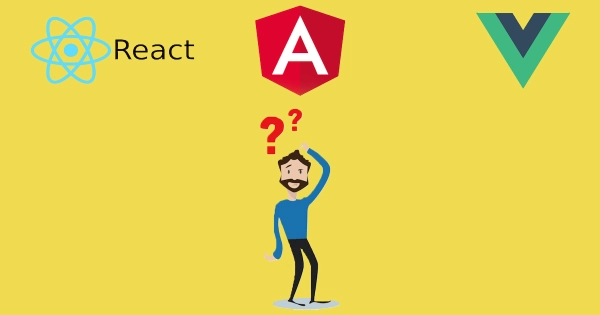
Which web application framework to choose between Angular, React and Vue?
Find out which is the only SPA web application framework you should seriously consider for your next project.

Do you know what to consider before developing web applications?
Find out how to develop web applications without frustration for you and your users.
When the web becomes a business asset
The web becomes a business asset when the application is not there just to exist, but to sell, automate processes, manage users, and support the business. In those cases frameworks, security, performance, and architecture make the difference between a published demo and a reliable platform.
Related web technologies
What is SignalR
Discover what SignalR is: the ASP.NET Core library for adding real-time web functionality to your applications.
What is TypeScript
Discover what TypeScript is: Microsoft's typed superset of JavaScript for building safer, more maintainable web applications.
Frequently asked questions
ASP.NET Core MVC is ideal for APIs and server-side rendered web applications at scale. Razor Pages simplifies the model for independent pages with less boilerplate. Blazor is the choice when you want to write interactive UI in C# instead of JavaScript. The choice depends on the team (available JS skills), the type of interactivity required, and routing complexity.
Blazor Server keeps logic on the server and uses SignalR for communication: it is ideal when data is sensitive, the connection is reliable, and you want simple deployments. Blazor WebAssembly runs code in the browser: it is suited for offline applications, low UI latency, and CDN deployment. Blazor United in .NET 8+ allows mixing both modes in the same project.
ASP.NET Core offers ASP.NET Core Identity for cookie-based authentication with a database, and native support for JWT Bearer in REST APIs. For enterprise SSO scenarios, OpenID Connect is used via Microsoft.AspNetCore.Authentication.OpenIdConnect. In Azure the preferred token provider is Microsoft Entra ID (formerly Azure AD), natively integrated with MSAL and Microsoft.Identity.Web libraries.
Minimal API is preferable for microservices, simple APIs, and projects that prioritize startup speed and low overhead. Controllers with attributes remain the best choice for complex APIs with heavy logic, filters, complex binding, and large teams that benefit from explicit structure. It is not a matter of novelty, but of project complexity.
Sources and references
Martin Fowler, micro frontends and evolutionary web architecture
This is not a source to copy blindly. I recommend it because it forces you to see the web as a surface where responsibilities, teams, deployment, and architectural coherence meet. Even if you do not choose micro frontends, Fowler pushes you toward the right question: where are the boundaries, and what will this application cost to change six months from now.
Martin Fowler, micro frontends and evolutionary web architecture
Steve Sanderson, technical thinking on Blazor and rendering
Sanderson matters because he goes beyond tutorial-level material and shows the reasoning behind components, rendering, state, and interactivity. I recommend him when you need to judge whether Blazor fits a real project or whether you are only reacting to technological excitement.
Sam Newman, distributed systems and web complexity
Many web applications fail not because of the chosen framework, but because nobody reasoned seriously about network boundaries, latency, resilience, and service contracts. Newman is useful here precisely because he brings the conversation back to the system, not the feature list.
OWASP Top 10
I include OWASP for one simple reason: too many web projects are still designed as if security were a finishing touch. It is not. This resource helps frame the mistakes I still see most often, from identity handling to insecure configuration, and reminds us that an application that converts while exposing the business is not a success.