.NET desktop development with WPF and MVVM when the interface must support real work
This category explains WPF, XAML, and MVVM for teams that need desktop .NET software users can work in comfortably and developers can still change without breaking everything.
WPF is not dead: it is the right desktop choice when desktop is truly needed
Every year someone announces the death of WPF.
And every year thousands of Windows desktop applications continue to be developed and maintained with WPF, in contexts where the web is not the right answer and the desktop remains the most effective tool for the work they need to support.
WPF is not a nostalgic choice.
It is a deliberate choice when requirements include rich vector rendering, complex bindings on structured data models, local hardware integration, critical rendering performance, or simply users who need to work offline with applications that behave like applications, not like websites.
The question I always ask is not "why WPF instead of a web app?".
It is "which technology best supports the work the user needs to do?".
When the answer is Windows desktop, WPF remains the most mature, most performant, and best-integrated platform with the .NET ecosystem available today.
MVVM in WPF: why it works and where it breaks
MVVM is the reference pattern for WPF not for aesthetic reasons, but because it solves real problems: testability of presentation logic, separation of responsibilities between UI and domain, reusability of ViewModels across different views.
WPF's binding system is designed for MVVM: INotifyPropertyChanged, ObservableCollection, Command, and DataTemplate are built to connect ViewModels and Views without either knowing anything about the other.
When this works well, you can test all presentation logic without opening a window.
Where MVVM breaks down in WPF is when the View has complex behaviors that cannot be expressed with binding: animations, focus management, scroll, hardware interaction.
In these cases you use Behaviors (from Microsoft.Xaml.Behaviors), Attached Properties, or as a last resort, code-behind with strictly presentation logic.
Code-behind is not evil: it is only evil when it contains business logic.
| Responsibility | Where it lives in MVVM | Common error |
|---|---|---|
| Business logic | Model / Domain layer | Putting it in the ViewModel |
| Presentation logic | ViewModel | Putting it in code-behind |
| Layout and style | View (XAML) | Hardcoded in code-behind |
| Navigation | ViewModel with service | Direct dependency on Window |
Performance in WPF: where it is lost and how to recover it
Slow WPF applications almost always have the same problem: too many elements in the visual tree, inefficient bindings, or missing virtualization on lists.
WPF's visual tree is the model the rendering system uses to build the interface.
Every control adds nodes.
A DataGrid with a thousand rows without virtualization creates thousands of controls in memory even if the user sees twenty.
VirtualizingStackPanel solves this problem by keeping only visible controls in memory.
Binding with Mode=TwoWay and UpdateSourceTrigger=PropertyChanged on fields that change frequently can cause continuous updates to the visual tree.
Evaluating OneWay where writing is not necessary is often sufficient to eliminate perceptible lag.
The reference tool for diagnosing performance problems in WPF is Snoop: it lets you inspect the live visual tree, see active bindings, identify unnecessary re-renders, and measure the cost of layout operations.
You do not optimize what you do not measure.
Migration from Windows Forms to WPF: when it is worth it and how to approach it
Migration from Windows Forms to WPF is not always the right move.
Before starting it is worth answering three questions: does the application genuinely need functionality that Windows Forms cannot offer?
Does the team have or can acquire the necessary XAML and MVVM skills?
Is the cost of migration justified by the value it produces?
If the answer to all three is yes, the best strategy is incremental migration with the WPF-Windows Forms interop pattern: WindowsFormsHost allows hosting Windows Forms controls inside a WPF window, and ElementHost does the reverse.
This allows migrating window by window without blocking the product.
The most critical part of migration is not technical: it is refactoring toward MVVM.
A Windows Forms application with business logic in the forms does not migrate to WPF simply by converting controls to XAML.
You migrate by first extracting logic from forms into testable classes, then connecting these classes to WPF ViewModels.
The typical cost of a poorly planned migration is double the estimate.
The reason is almost always that the existing code had no separation between UI and logic, and that separation must be built during the migration, not before and not after.
Analyses, cases, and articles on WPF, XAML, data binding, and MVVM
14 articles found
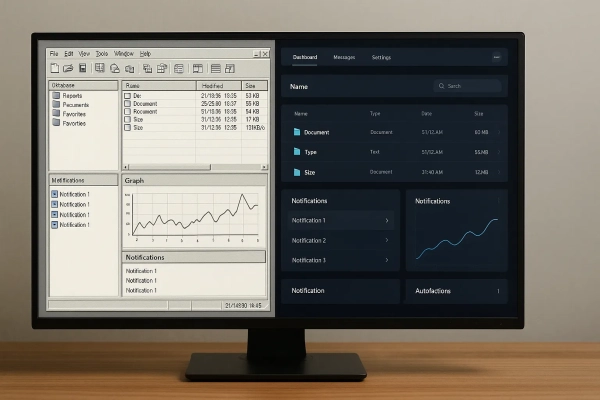
XAML triggers transform your UI: the method every experienced developer should use
Triggers in WPF allow you to manage UI states and behaviors declaratively, reducing code, errors and development complexity.

Every badly used Grid or StackPanel is a time bomb: you are sabotaging your work, and you don't even realize it
Choosing between Grid and StackPanel is the key to layouts that don't collapse. Discover the professional method.

UI Development with WPF: Modern Desktop Applications with MVVM and C#
Learn UI development with WPF to build modern desktop applications. Learn MVVM, write solid code, and design scalable interfaces in C#
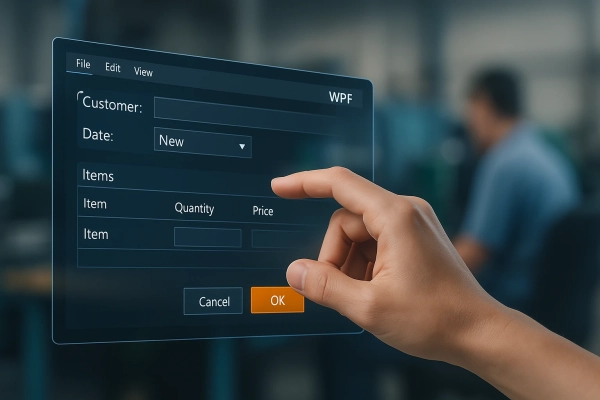
Change your career with C#: learn to create GUIs that really work
With C# and WPF you create interfaces that improve every workflow. Start here and change the direction of your career.

Which is better Blazor or WPF? Find out which one to choose for the development of your software projects
The definitive guide to understand whether Blazor or WPF is better, the choice is more complex than you think.

WPF and C#: Enhance .NET development with advanced interfaces
Develop powerful desktop applications with WPF and C#: best practices for modern, interactive UIs

The 9 Fatal WPF and MVVM Development Mistakes That Are Sabotaging Your Apps, and How to Avoid Them
Learn about errors that compromise WPF and MVVM applications and how to fix them. An essential guide for aspiring .NET developers.

XAML Tutorials: The Holy Grail of UI development that (finally) delivers on its promises
Master creating professional, maintainable UIs. Discover with the perfect XAML tutorial that combines theory and implementation.
What is WPF and how in just 4 days you can master it: discover the secret to creating modern and high-performance interfaces, transforming yourself into the C# developer that companies desperately seek (and pay more for)!
Find out what WPF is and why every C# developer needs to know it. If you want to move from toys to serious code, it's time to make the leap to WPF

WPF Italian tutorial: discover how to master desktop development and transform your career in just 3 weeks
The definitive Italian WPF tutorial to learn how to create powerful interfaces with practical examples and strategies to master desktop development

WPF guide to create custom interfaces and transform your career
Looking for the definitive WPF guide? Learn to develop desktop applications with modern UIs using Windows Presentation Foundation.

Update your applications with the migration from Windows Forms with our WPF course
How to update your applications and migrate from Windows Forms without going crazy with our WPF course.
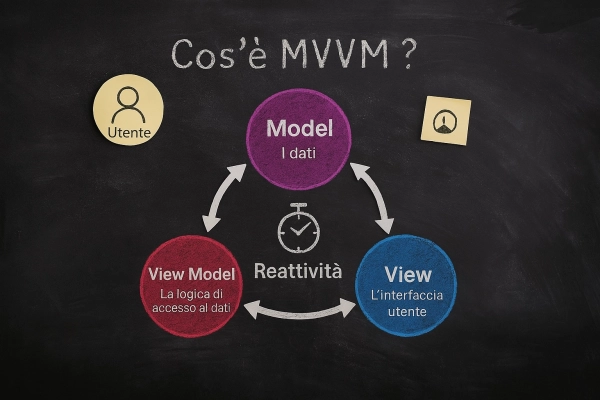
Find out why you should choose WPF and how to unleash its power by using the MVVM pattern correctly
Do you want to know why choosing WPF is the best technology for industrial automation? Find out here.
When WPF remains the right choice
WPF remains the right choice when you need rich, interactive desktop applications integrated into business workflows. In those scenarios interface quality, separation between UI and logic, and maintainable code directly affect the daily work of the people using the software.
Technologies related to desktop development
What is WPF
Discover what WPF is: Windows Presentation Foundation for developing modern desktop applications with XAML, C# and .NET.
Frequently asked questions
Yes, in enterprise contexts with legacy Windows applications and new internal desktop projects. WPF is the standard choice for LOB (Line of Business) applications on Windows when the interface is rich, performance requirements are high, and distribution is controlled. It is not the right choice for consumer cross-platform applications, where .NET MAUI or Blazor are more suitable.
MVVM, Model-View-ViewModel, separates UI logic (ViewModel) from visual representation (View) through data binding. In WPF it is fundamental because it makes code testable (the ViewModel does not depend on the View), enables parallel work between designers and developers, and reduces code-behind. INotifyPropertyChanged and ICommand are the basic building blocks of the implementation.
WPF is a Windows-only framework with a mature, stable, and well-documented programming model. .NET MAUI is cross-platform (iOS, Android, Windows, macOS) but with greater configuration complexity and less ecosystem maturity. For existing or new enterprise Windows applications, WPF remains the most solid choice. MAUI is preferable when the target includes mobile.
In modern WPF you use Microsoft.Extensions.DependencyInjection, the same container as ASP.NET Core. Services are registered in the container at application startup and injected into ViewModel constructors through a generic host (IHost). This approach makes WPF code consistent with the rest of the .NET ecosystem and facilitates code sharing with other layers.